The Benefits of Optical Character Recognition (OCR): How It Improves Business Workflow (Updated 2026)

August 4, 2026
 2158 views
 0 comments
Document Management
The Benefits of Optical Character Recognition (OCR): How It Improves Business Workflow (Updated 2026)
A plain-English look at OCR document management, workflow automation, and what the technology can do for growing Florida businesses.
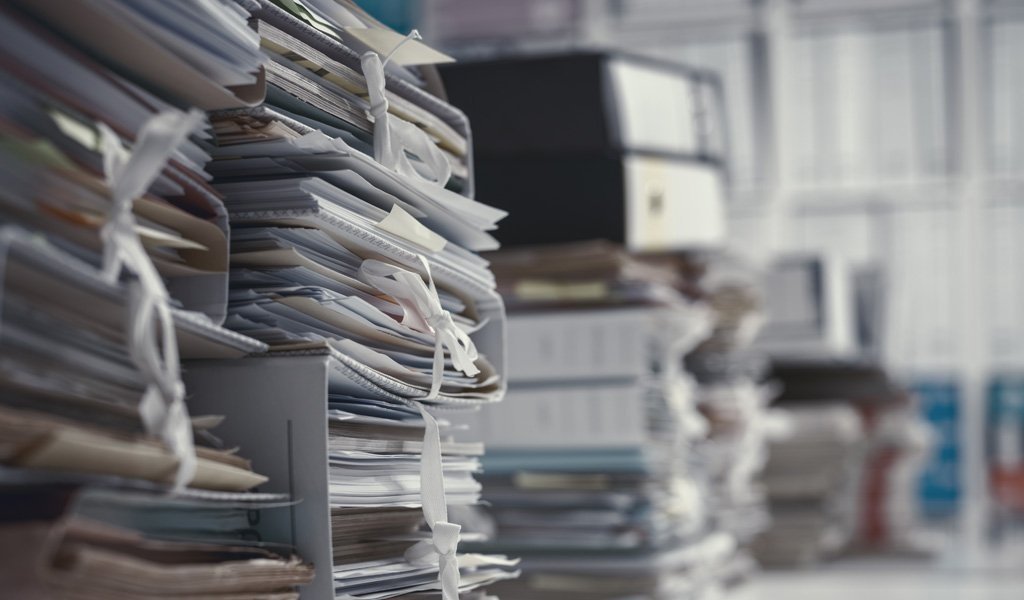
Quick answer: Optical Character Recognition (OCR) turns scanned paper and images into searchable, editable digital text. It removes hours of manual typing, cuts costly data-entry errors, and feeds clean data straight into your document management and accounting systems. For most offices, OCR pays for itself fast.
What is Optical Character Recognition (OCR)?
Optical Character Recognition, or OCR, is a technology capable of reading printed or handwritten characters and converting them into machine-readable text. You point a scanner or a phone camera at a document. The software finds the letters and numbers. Then it hands you a file you can search, copy, and edit.
Sounds simple. The payoff is not. A stack of invoices, contracts, or delivery tickets stops being dead paper and becomes live data your team can actually use. And once the data is digital, it can flow into the rest of your business without anyone retyping a single line.
OCR did not begin as a business tool. It started as a way to help the visually impaired. In 1917 an inventor built the Optophone, a device that scanned printed text and produced audible tones for each letter. It read at roughly one word per minute. Slow, yes. But the idea stuck.
Ray Kurzweil pushed the concept forward in 1974 with the first omni-font reading system, paired with text-to-speech. By the mid-1990s the technology showed up inside multifunction printers, with Xerox among the earliest adopters. You can read more about that lineage straight from Xerox, one of the pioneers of the field.
How does OCR actually work?
Here is the short version. A scanner captures your document as an image. The OCR software then strips it down to a two-color bitmap, usually black text on white. From there the program studies the light and dark regions and flags the dark shapes as characters worth reading.
Next comes recognition. Older engines lean on pattern matching, comparing each shape against a library of known fonts. Newer engines use feature detection, applying rules about the strokes and curves of each letter. So a capital A gets identified by its two angled lines and the bar across the middle, not by matching a stored picture.
Modern AI-driven OCR goes a step further. It reads context, learns from millions of samples, and handles messy real-world documents like crumpled receipts or faxed forms. Accuracy has climbed sharply as a result. Independent testing puts today’s best models near 99.5 percent on typed text and around 92 percent on handwriting, per industry benchmarks compiled by document processing researchers.
Accuracy modern AI-powered OCR reaches on typed documents, versus 96 to 99 percent for manual human data entry (industry benchmarks, verify against your own document mix)
The real benefits of OCR for your workflow
Paper is expensive in ways most owners never tally. Someone types the invoice. A second person files the contract. A third hunts for the record three months later. Every one of those steps costs time, and time is payroll.
OCR collapses those steps. Instead of retyping, your staff scans once and moves on. Here is where the gains show up:
- Fewer entry errors, since the software reads the source instead of a tired person at 4 p.m.
- Faster searching, because every scanned page becomes fully text-searchable.
- Cleaner storage, with indexed files replacing overstuffed cabinets.
- Freed-up staff, who trade keystrokes for work only humans can do.
- Better compliance, since digital records are easier to secure, back up, and audit.
The money math is blunt. Processing a single invoice by hand runs about 15 dollars once you count labor and rework, while automated capture drops it near 2.36 dollars, roughly an 84 percent cut, according to data entry research from DocuClipper. And fixing one data-entry mistake can cost anywhere from 15 to 90 dollars by the time someone catches it. Those numbers are estimates, so treat them as a directional guide and measure your own before you budget.
OCR alone or OCR inside intelligent document processing?
Plain OCR reads text. Intelligent Document Processing, or IDP, reads text and then understands it. IDP layers artificial intelligence on top of OCR to classify a document, pull the right fields, validate them, and route the result without a human touching it. Both have a place. The right pick depends on your volume and how messy your documents are.
| Feature | Standard OCR | AI-Powered IDP |
|---|---|---|
| Core job | Convert image to editable text | Read, classify, extract, and route data |
| Best for | Digitizing archives, simple scans | High-volume invoices, forms, mixed layouts |
| Handles messy documents | Limited | Strong, learns over time |
| Human review needed | Often | Rarely, 60 to 70 percent straight-through |
| Typical starting cost | Low, sometimes built into your copier | Higher, subscription or per-page |
So which one fits you? If you mostly need to make old files searchable, standard OCR baked into a modern multifunction printer may be plenty. But if invoices and forms pile up daily, IDP earns its keep. The broader IDP market reflects the demand, projected to grow from around 1.5 billion dollars in 2022 toward 17.8 billion by 2032 at a 28.9 percent yearly rate (figures from market researchers; verify current numbers before quoting them formally).
Reported drop in per-invoice processing cost when automated capture replaces manual entry, from about 15 dollars to 2.36 dollars per document (DocuClipper; confirm against your own invoice volume)
OCR use cases beyond simple scanning
Most people picture OCR as a way to turn a paper page into a Word file. Fair enough. But the technology shows up in places you might not expect, and those examples hint at what your own office could do.
Mobile data capture
Field staff photograph a receipt, a business card, or a tax form with a phone. OCR reads it on the spot and files it. No shoebox of crumpled paper waiting at month end.
Automated inspections
One national tire retailer used OCR to capture tread depth and serial numbers across thousands of stores, cutting each inspection to seconds. Customers waited less. Staff wrote down nothing.
Vehicle and asset documentation
Some service companies pair HD cameras with OCR license-plate reading to record a vehicle’s condition before work begins. Fewer disputes. Cleaner records. Happier customers.
Accounts payable and records
This is the bread and butter. Invoices, purchase orders, and contracts get scanned, read, and pushed into your accounting system. Your document management system keeps everything indexed and findable.
Which industries get the most from OCR?
Almost every office runs on documents. Still, some fields feel the relief faster than others, simply because they handle more paper or face tighter rules. Here is how the gains tend to land across common Central Florida sectors.
Law firms
Legal work buries people in paper: contracts, discovery, filings, exhibits. OCR turns a banker’s box of documents into a searchable archive in an afternoon. Need every mention of a clause across 400 pages? A search bar finds it in seconds, not hours.
Medical and dental practices
Patient intake forms, insurance cards, referral letters. Front-desk staff spend real time keying all of it. OCR captures the data at the scanner and drops it into the practice system, which frees the team to focus on patients instead of typing.
Accounting and finance
Invoices, receipts, statements, tax forms. This is OCR’s home turf. Automated capture reads the numbers, flags mismatches, and feeds clean data into the ledger. Fewer typos means fewer painful reconciliations at month end.
Contractors and property managers
Work orders, permits, lease agreements, inspection reports. Field teams snap a photo and the record files itself. No more lost paperwork riding around in a truck for two weeks.
Notice a pattern? The heavier the paper load, the bigger the win. But even a small office with a few hundred documents a month can shave hours off the week. Curious where your business lands? Our team can benchmark your paper flow and show you the likely payoff.
How to roll out OCR without the headaches
Adopting new technology can feel daunting. It does not have to. A sensible rollout moves in small steps, proves value early, and grows from there. Here is a path we walk clients through.
- Start with one painful process, like accounts payable, rather than the whole office at once.
- Audit your current volume, so you know what good looks like before you change anything.
- Turn on the OCR features already sitting inside your copier or scanner.
- Connect the captured data to the system where it belongs, whether accounting or records.
- Add a light human review on high-value documents while trust builds.
- Measure the before and after, then expand to the next process.
Why start small? Two reasons. A narrow pilot limits risk, and an early win builds buy-in from the team who will actually use it. So by the time you scale, the skeptics have already seen the numbers move.
One honest note on limits. OCR shines on clean, structured documents. Hand it a coffee-stained receipt photographed in a dim warehouse and accuracy dips. Good lighting, decent scans, and consistent formats all help the software do its job. Set the technology up to succeed and it rewards you.
Does going digital put your data at risk?
Good question, and an honest one. Moving off paper does change your risk picture. A locked filing cabinet cannot be breached from across the world, but it also cannot be backed up, searched, or shared safely. Digital records can be all three, provided you protect them.
The fix is not complicated. Encrypt files at rest and in transit. Control who can open what. Keep an audit trail. Government resources like the CISA cybersecurity best practices and the NIST Cybersecurity Framework lay out sensible baselines any business can follow. Pair OCR with a secure managed document service and you get the convenience of digital without leaving the door open.
One caveat worth stating plainly: no technology is perfect. OCR can misread a smudged digit or a stylized font. So a light human check on high-stakes documents still makes sense. Trust the automation, but verify the numbers where a mistake would hurt.
Where OCR is heading next
The technology is not standing still. A decade ago OCR meant clean scans and typed pages. Today AI has widened what the software can read and understand, and the pace keeps building. So what should a business owner watch for?
First, accuracy on hard documents keeps climbing. Handwriting, faded thermal receipts, and multi-language forms used to break older engines. Newer models trained on huge datasets handle them far better, and they improve as they process more of your specific paperwork.
Second, the line between OCR and full automation keeps blurring. Capture, classification, validation, and routing increasingly happen in one pass. The broader market signals the shift plainly. Analysts peg the OCR market near 17 to 19 billion dollars in 2025, growing at double-digit annual rates toward roughly 44 to 46 billion by the early 2030s, though estimates vary by firm, so treat any single figure as a ballpark.
Third, adoption is going mainstream. By some accounts, a large majority of enterprises now invest in AI-driven document automation, with many reporting a return inside six months. Small and mid-sized firms are following, helped by lower entry costs and OCR baked into everyday office hardware. And here is the encouraging part. You do not need an enterprise budget to start, because much of the capability already sits inside the copier down the hall.
What does all this mean for a Daytona Beach office in 2026? Simply that the barrier to going paperless keeps dropping while the payoff keeps rising. Waiting costs more than it used to.
Where Smart Technologies fits in
We have helped Florida offices tame their paper since 1999. OCR sits at the center of a lot of what we do, because it connects your hardware, your software, and your day-to-day workflow. Here are six ways Smart Technologies puts it to work for clients.
Want to see how the pieces connect? Our team can walk you through business process automation and where OCR plugs in. And if you already run rules-based routing, we can show you how rule-based workflow processing pairs with captured data.
OCR for Daytona Beach and Central Florida businesses
Local context matters. Daytona Beach, Orlando, and the surrounding towns run on small and mid-sized businesses: law offices, medical practices, contractors, dealerships, property managers. Every one of them drowns in paper at some point. Hurricane season adds a sharper edge, because paper records do not survive a flooded office, while encrypted digital backups sit safely off-site.
Smart Technologies of Florida works right here, out of Daytona Beach. So when a copier jams or a workflow breaks, help is a short drive away, not a support ticket in a queue. That local presence is why practices across Central Florida lean on us to digitize the back office and keep it running.
Manual entry versus OCR: a quick cost comparison
Numbers make the case better than adjectives. The table below lines up manual data entry against an OCR-driven workflow. Treat the figures as industry estimates and run your own before you commit, but the direction is hard to miss.
| Measure | Manual Data Entry | OCR / Automated Capture |
|---|---|---|
| Cost per invoice | About $15 | About $2.36 |
| Error rate | 1 to 4 percent | Under 0.1 percent |
| Cost to fix one error | $15 to $90 | Rare, so far lower |
| Speed per document | Minutes | Seconds |
| Typical ROI window | Not applicable | Often 3 to 6 months |
Automation can trim document processing costs by up to 40 percent and cut turnaround times by as much as 70 percent, per intelligent document processing research. Most organizations report a return within three to six months. Your mileage will vary, so measure your baseline first.
Worth a caveat here. These figures come from vendor and analyst studies across many industries, not from your specific office. A five-person insurance agency and a fifty-person distributor will see very different numbers. Use the ranges as a sniff test, then run a small pilot on your own documents. Real data from your own workflow beats any published average.
One more thing owners often miss. The biggest savings frequently come from the errors you never make, not the typing you skip. A single fat-fingered invoice can trigger a duplicate payment, a vendor dispute, or a late fee. Cut those and the soft savings can dwarf the hard ones. So when you build your business case, count the mistakes avoided alongside the minutes saved.
OCR questions business owners ask
What does OCR stand for?
OCR stands for Optical Character Recognition. It is software that reads printed or handwritten characters from an image and converts them into digital text you can search and edit.
Is OCR accurate enough for business documents?
Yes, for most cases. Modern AI-powered OCR reaches roughly 99.5 percent accuracy on typed text. Handwriting sits lower, near 92 percent, so a quick human check on critical fields is smart.
How much does OCR cost for a small business?
It varies widely. Basic OCR often comes built into a modern multifunction printer at no extra charge. Full intelligent document processing runs on a subscription or per-page model. Our team can size a fit to your volume.
Can OCR read handwriting?
Sometimes, and better than it used to. AI-driven engines handle neat handwriting fairly well, around 92 percent accuracy in testing. Messy or cursive writing still trips it up, so verify important entries.
What is the difference between OCR and IDP?
OCR converts an image into editable text. Intelligent Document Processing adds AI to classify the document, extract the right fields, validate them, and route the data automatically. IDP is OCR plus understanding.
Does my copier already have OCR?
Very likely. Most modern multifunction printers ship with OCR features. The trick is turning them on and wiring them into your workflow. We help clients do exactly that.
Is OCR secure for sensitive records?
It can be, with the right safeguards. Encrypt files, limit access, and keep an audit trail. Frameworks from NIST and CISA offer solid baselines. Paired with a managed document service, digital records are often safer than paper.
How long until OCR pays for itself?
Many businesses report a return within three to six months. Savings come from less manual typing, fewer errors, and faster document handling. Your payback depends on volume, so measure your baseline.
Will OCR replace my data entry staff?
Not really. It shifts them. Instead of retyping documents, your team handles exceptions, reviews flagged items, and takes on higher-value work. Automation removes drudgery, not people.
Can OCR integrate with my accounting software?
In most cases, yes. Captured invoice data can flow straight into common accounting and ERP systems. Smart Technologies helps map the connection so numbers land where they belong.
Do you offer OCR help in the Daytona Beach area?
We do. Smart Technologies of Florida is based in Daytona Beach and serves businesses across Central Florida, from copier setup to full document workflow automation.
Ready to put your paper to work?
Let Smart Technologies show you how OCR and document automation can save your Central Florida office real time and money.
GET A FREE QUOTE
(386) 252-2292
Business Transformation Agency
Related Posts

— Workflow Automation for Business (2026 Guide)

— Microsoft Basic Authentication End of Life: What It Means for Your Business (2026 Guide)