Top Cybersecurity Florida Practices to Protect Your Business

October 6, 2026
 1524 views
 0 comments
Business Cybersecurity
Practical steps for protecting your data, your customers, and your reputation across Daytona Beach, Orlando, and Central Florida.
Quick Answer: Strong cybersecurity Florida businesses can afford starts with six basics: trained employees, multi-factor authentication, prompt patching, tested backups, a managed firewall, and a written incident response plan. Layer on regular audits and a trusted IT partner, and you close the doors most attackers try first.
Why It Matters
Cybersecurity Florida Businesses Actually Need
Let’s be blunt. Your business is a target whether or not you think it is. Attackers run automated scans against every company with an internet connection, and they do not care if you have five employees or five hundred. Cybersecurity Florida owners can rely on is not about fear; it is about closing the easy doors first.
Why does Florida draw so much attention? The state has a huge small business community, a busy tourism economy, large healthcare networks, and a steady flow of real estate wire transfers. Every one of those carries payment data, personal records, or both. Hurricane season adds another wrinkle, because storms push companies into remote work and emergency cloud logins with little planning.
Those are big-company averages, so read them with care. A ten-person accounting firm in Port Orange will not see a ten-million-dollar bill. But a week of lost invoices, a ransom demand, and a hard conversation with clients is painful at any size.
This guide walks through the practices Smart Technologies of Florida recommends to local businesses, in roughly the order we would tackle them. Want the attacker’s point of view first? Our walkthrough of the anatomy of a cyberattack shows how a typical break-in unfolds.
The Basics
Understanding Cybersecurity
What Is Cybersecurity?
Cybersecurity is the practice of protecting systems, networks, and programs from digital attacks. Those attacks aim to read, change, or destroy sensitive information, extort money, or shut down operations. Three areas matter most for small businesses:
- Information security: keeping customer records, financials, and employee data away from unauthorized eyes.
- Network security: protecting the integrity and availability of your office network, Wi-Fi, and remote connections.
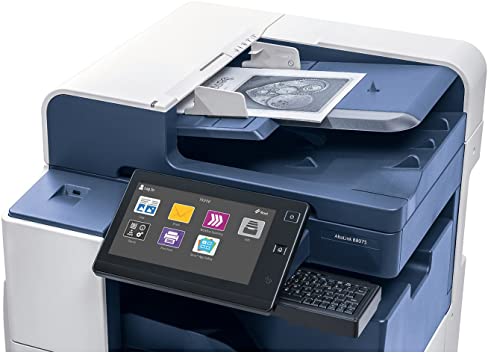
- Application security: making sure software, cloud tools, and connected devices (including office printers and copiers) are not weak links.
Technology is only half the picture. Policies, habits, and clear ownership matter just as much. A firewall cannot stop an employee from wiring money to a fake vendor. Who is responsible for security at your company? If the honest answer is nobody, start there.
The NIST Cybersecurity Framework is a useful map. It organizes the work into identifying assets, protecting them, detecting problems, responding, and recovering. You do not need to adopt every piece. Use it as a checklist to spot gaps.
People First
Employee Training and Strong Passwords
Train Employees to Spot Trouble
Employees are your first line of defense and, frankly, your most common point of failure. IBM’s 2025 research found phishing was the leading way attackers got in, at 16 percent of breaches. Good training changes behavior; slide decks alone rarely do.
- Short, frequent sessions with real examples of fake invoices, shipping notices, and password resets.
- Simulated phishing emails with friendly follow-up coaching, not public shaming.
- A one-click way to report suspicious messages, and a quick reply so people know it mattered.
- Special attention for finance and front-office staff, who handle payments and customer data.
Make it part of the culture. Mention security in team meetings. Tell the story when a staff member catches a scam. Small habits add up.
Password Policies That Work
Forget forced monthly changes; they push people toward weak patterns like Summer2026!. Aim for long passphrases, unique to each account, stored in a business password manager. Block known-breached passwords. Then pair every important login with MFA, which we cover below.
Our dark web scan can show whether your company email addresses already appear in leaked credential lists. Many owners are surprised by the results.
Technical Controls
Patching, Encryption, and Multi-Factor Authentication
Software Updates and Patch Management
Attackers love old software. When a vendor publishes a fix, criminals study it and race to hit anyone who has not applied it. Automate updates for operating systems, browsers, and business applications. Track servers, firewalls, and routers separately, since they rarely update themselves.
- Turn on automatic updates wherever the vendor allows it.
- Keep an inventory of devices so nothing is forgotten, including that old office printer.
- Retire unsupported software and hardware; no patch will ever arrive for them.
- Review the CISA Known Exploited Vulnerabilities catalog to see which flaws are being attacked right now.
Data Encryption and Secure Communication
Encryption scrambles data so stolen files are useless without the key. Encrypt laptops and phones, encrypt backups, and use TLS for email and web traffic. Lost devices happen all the time. With encryption on, a stolen laptop is an inconvenience instead of a reportable breach.
Multi-Factor Authentication (MFA)
If you do only one thing this quarter, turn on MFA. A stolen password alone should not be enough to open your email, accounting software, or remote desktop. App-based prompts and hardware keys beat text messages, though any MFA is far better than none.
- Start with email, banking, payroll, and remote access.
- Prefer authenticator apps or security keys over SMS codes.
- Explain the why to staff so they do not approve prompts they did not trigger.
- Keep emergency access for administrators in a secure place.
Network Defense
Protecting Your Network, Wi-Fi, and Remote Workers
Firewalls and Monitoring
A business-grade firewall with active subscriptions filters malicious traffic and blocks known bad destinations. Add intrusion detection or managed detection and response, and someone actually watches the alerts. An unmonitored alarm is just noise. Smart Technologies pairs managed IT services with monitoring so small teams get enterprise-style coverage without the payroll.
Securing Wi-Fi
- Use WPA3 where supported, or WPA2 with a long, unique passphrase.
- Change default router credentials and disable remote administration you do not need.
- Give guests and visitors their own separate network.
- Segment point-of-sale systems and cameras from office computers.
VPNs and Remote Access
Remote work is permanent for many Central Florida firms, and storm season makes it unavoidable. Use a VPN or, better, a zero-trust remote access tool with MFA. Never expose remote desktop directly to the internet; it is one of the most abused doors in ransomware cases.
Audits
Regular Audits and Assessments
Why Audits Matter
You cannot fix what you cannot see. An audit checks what is actually deployed, who has access, and where the gaps are. Many owners discover former employees still have active accounts, or that a backup has not completed in months.

Vulnerability Scans and Penetration Testing
Scans find known weaknesses automatically; penetration tests simulate a real attacker to see how far someone could get. Both have a place. Run scans monthly or quarterly and consider a pen test annually or after major changes.
| Assessment Type | What It Does | Typical Frequency | Best For |
|---|---|---|---|
| Vulnerability scan | Automated check for known software flaws | Monthly or quarterly | Every business |
| Security audit | Reviews policies, access, backups, and configuration | Annually | Businesses with customer or patient data |
| Penetration test | Ethical hackers try to break in | Annually or after major changes | Regulated or higher-risk firms |
| Dark web scan | Looks for leaked company credentials | Continuous or quarterly | Everyone |
A caveat: an audit is a snapshot. It is valuable only if you act on the results. Assign owners and dates to every finding.
Response Planning
Incident Response and Recovery
Build an Incident Response Plan
Every business should answer a simple question in advance: if our systems went dark Monday morning, who does what? A plan removes guesswork when stress is highest. Keep it short enough that people will actually read it.
- Identify and contain: know how to isolate infected machines fast.
- Eradicate and recover: remove the threat, then restore from clean backups.
- Communicate: decide who speaks to employees, customers, your insurer, and regulators.
- Learn: hold a review within two weeks and fix what failed.
What to Do During an Incident
Disconnect affected devices from the network, but do not power them off unless told to; evidence can vanish. Call your IT provider and insurer. Preserve logs. Change passwords from a clean device. Resist the urge to pay a ransom before talking with experts and, where appropriate, law enforcement.
Backups and Recovery
Backups are your parachute. Follow the 3-2-1 idea: three copies, two types of storage, one offsite or offline. Then test restores quarterly. A backup you have never restored is a theory. Use our downtime calculator to see what every hour offline costs your company.
Florida Law
Florida Rules You Should Know
The Florida Information Protection Act (FIPA) requires businesses holding personal information on Floridians to use reasonable safeguards. If a breach occurs, notice to affected individuals generally goes out within 30 days, and breaches affecting 500 or more people must also be reported to the Florida Attorney General. Fines can climb quickly for late or missing notices.
Healthcare practices also face HIPAA, and companies that take cards must meet PCI requirements. Contracts with larger clients often add their own security terms. Check with your attorney about exactly which rules apply to you; Smart Technologies provides IT services, not legal advice.
| Requirement | Who It Affects | Key Point |
|---|---|---|
| FIPA | Businesses holding Floridians’ personal data | Reasonable safeguards; notice within 30 days |
| HIPAA | Medical practices and their vendors | Risk analysis, access controls, breach reporting |
| PCI DSS | Anyone accepting card payments | Network segmentation and secure card handling |
Local Risk
Hurricane Season, Power Loss, and Your Data
Central Florida has its own rhythm. From June through November, every IT plan has to survive a storm. Power fails, offices flood, and staff scatter. And that is exactly when attackers pounce, because distracted teams click faster and approve things they would normally question.
Plan for it ahead of time. Offsite or cloud backups keep your records safe if the building is not. Battery backups give servers time to shut down cleanly. A documented process lets employees work from home securely on day one. But none of this helps if nobody has tested it, so run a drill each spring.
- Confirm backups are stored outside your building and outside the flood zone.
- Keep a paper contact list with vendors, your insurer, and your IT provider.
- Pre-approve secure remote access for key staff before a storm is on the radar.
- Check that phones and phone systems can forward calls when the office is closed.
Daytona Beach and Orlando businesses often share one more trait: a seasonal workforce. Temporary staff need accounts quickly, and those accounts should disappear just as quickly. Stale logins are a quiet, common weakness. So build onboarding and offboarding checklists, and assign someone to run them.
Yet many owners tell us they have never tested a restore. Pick a Friday, restore a handful of files, and time it. You will learn more in thirty minutes than from any brochure.
Action Plan
A 90-Day Cybersecurity Plan for Small Businesses
Overwhelmed? Break the work into three stages. Nobody secures everything in a week; steady progress beats a heroic sprint that fizzles out.
Days 1 to 30: Stop the Bleeding
- Turn on MFA for email, banking, and remote access.
- Confirm backups run, and restore one file to prove it.
- Remove accounts for former employees and unused vendors.
- Run a dark web scan on your company domain.
Days 31 to 60: Build the Foundation
- Deploy a business password manager and retire shared logins.
- Set up automatic patching and an inventory of devices.
- Launch short phishing awareness training with simulated tests.
- Review firewall rules and Wi-Fi settings.
Days 61 to 90: Prove and Prepare
- Write and print a one-page incident response plan.
- Schedule your first vulnerability scan and annual audit.
- Review cyber insurance requirements against your controls.
- Meet with your IT provider about monitoring and reporting.
The CISA cybersecurity best practices page offers free guidance to reinforce each stage. So does the IBM Cost of a Data Breach report, which shows what unprepared companies pay. Neither replaces a plan built around your actual systems; both help you ask better questions.
What Is Next
Future Trends in Cybersecurity
Emerging Threats
AI has changed the phishing game. IBM found roughly one in six breaches in 2025 involved attackers using AI, mostly for convincing phishing messages and deepfakes. Fake voice calls from a supposed executive are no longer science fiction. Verify unusual payment requests through a second channel, every time.
- Shadow AI: staff pasting company data into unapproved chatbots.
- Connected devices, from cameras to multifunction printers, running outdated firmware.
- Supply chain attacks through a vendor you trust.
Defensive Advances
Defenders are using AI too. Faster detection, automated containment, and zero-trust designs, which assume no device or user is trusted by default, are becoming affordable for smaller firms. IBM’s data suggests teams using AI and automation extensively shorten breach lifecycles by about 80 days.
Technology will keep changing. The fundamentals will not.
How We Help
How Smart Technologies Helps
We have served Florida businesses since 1999. We are a managed IT provider, so we are biased; still, here is what a good partner should deliver, and what we offer through our managed IT solutions.
Managed Security Monitoring
24/7 eyes on your network, endpoints, and alerts so problems get handled early.
Patch & Update Management
Scheduled, tested updates across computers, servers, and network gear.
Backup & Disaster Recovery
Monitored backups with restore testing, built for hurricane season too.
Email & Phishing Protection
Filtering and staff awareness to stop most scams before they land.
Secure Printers & Copiers
Hardened office devices with encryption and controlled access.
Local Support
A Daytona Beach team that knows Central Florida businesses and answers the phone.
Is outsourcing right for everyone? Not always. If you already employ a skilled in-house team, co-managed support may be a better fit. Ask any provider, including us, for references and clear reporting before you sign.
Questions about your setup? Contact our team for a conversation, no pressure.
FAQ
Frequently Asked Questions
What are the most common cybersecurity threats for Florida businesses?
Phishing, ransomware, and business email compromise lead the list. Phishing is the usual way in; the other two are what attackers do once they are inside. Florida’s mix of tourism, healthcare, real estate, and professional services gives criminals plenty of payment data and patient records to chase.
How much does a data breach cost a small business?
IBM’s 2025 report puts the global average at $4.44 million and the U.S. average at $10.22 million. Smaller firms rarely see numbers that large, but the cost of downtime, recovery, legal help, and lost customers can still be severe. Cyber insurance helps; it does not replace prevention.
How can I train my employees to spot phishing?
Run short sessions every few months rather than one long annual lecture. Send realistic test emails, show people what the fake invoice or password reset looks like, and make reporting easy. Praise the person who flags a suspicious message, even when it turns out to be harmless.
What is the best way to secure my business Wi-Fi network?
Use WPA3 encryption where your equipment supports it, and WPA2 with a long passphrase where it does not. Change default router logins, and put guests on a separate network. Keep firmware current, since old routers are a favorite entry point.
Why is multi-factor authentication so important?
A stolen password alone should never unlock your email or bank. MFA adds a second proof, like an app prompt or a hardware key, which blocks the vast majority of automated credential attacks. Start with email, banking, and remote access, then expand.
How often should we run a cybersecurity audit?
At least once a year, and again after major changes such as a new office, a cloud migration, or an acquisition. Regulated industries may need more frequent reviews. Vulnerability scans can run monthly or quarterly between full audits.
What does the Florida Information Protection Act require?
FIPA requires covered businesses to take reasonable measures to protect personal information and to notify affected Floridians within 30 days of determining a breach occurred. Breaches affecting 500 or more people must also be reported to the Florida Attorney General. Penalties can reach into six figures. Talk to an attorney about your specific duties; this article is not legal advice.
Do small businesses in Daytona Beach really get targeted?
Yes. Attackers use automated tools that scan the whole internet, so size does not protect you. Smaller companies are attractive because defenses are thinner and a single compromised inbox can lead to a fraudulent wire transfer.
What should be in an incident response plan?
Names and phone numbers for decision makers, a way to isolate affected machines, backup restoration steps, contact details for your IT provider and insurer, and a template for customer notices. Print a copy. If your network is down, a plan stored on that network is useless.
Is cyber insurance enough on its own?
No. Insurers increasingly require MFA, tested backups, and endpoint protection before they will write or renew a policy. Weak controls can raise premiums or lead to denied claims. Think of insurance as the safety net and security controls as the harness.
Should we use a managed IT provider for cybersecurity?
For most small businesses, probably. A managed provider gives you monitoring, patching, backup testing, and expert response without hiring a full security team. The tradeoff is trust and cost, so ask about response times, reporting, and who owns your data.
What should I do right after a suspected breach?
Call (386) 252-2292 right away. Our team can help isolate affected systems, check backups, and work through recovery steps with you. The faster you call, the more options you keep.
Business Transformation Agency
Ready to Tighten Your Security?
Get a straight answer on where your business stands. Smart Technologies will review your setup and recommend practical next steps.
Call us at (386) 252-2292
771 Fentress Blvd Suite 10, Daytona Beach, FL 32114 | contact@smarttechfl.com
Related Posts

— The Importance of Regular Vulnerability Risk Assessments
— ID Theft Protection: Why Restoration Services Matter Most