

Email Security
Secure email software sits between your mailbox and the open internet, filtering what arrives and scrambling what leaves. Here is what it does, what it costs, and how to roll it out.
Quick answer: Secure email software is a layer of filtering, encryption, and identity checking wrapped around your existing mail platform. It blocks phishing and business email compromise before delivery, encrypts sensitive messages in transit and at rest, and proves who actually sent a message. Most small and mid-sized businesses pay between $2 and $10 per user each month for it.
The Basics
What secure email software actually does
Your mail platform already does a little security work. Microsoft 365 and Google Workspace both filter spam, both check sender records, and both scan attachments. Secure email software adds the layers those platforms leave thin.
Think of it as four jobs bundled together. Filtering inspects inbound mail and quarantines anything hostile. Encryption makes intercepted messages unreadable. Authentication proves a sender is who the envelope claims. And archiving keeps a tamper-evident record for auditors and lawyers.
Some products do all four. Many do one or two very well and hand the rest back to your mail platform. Smart Technologies of Florida sees both patterns across Central Florida, and neither is automatically better.
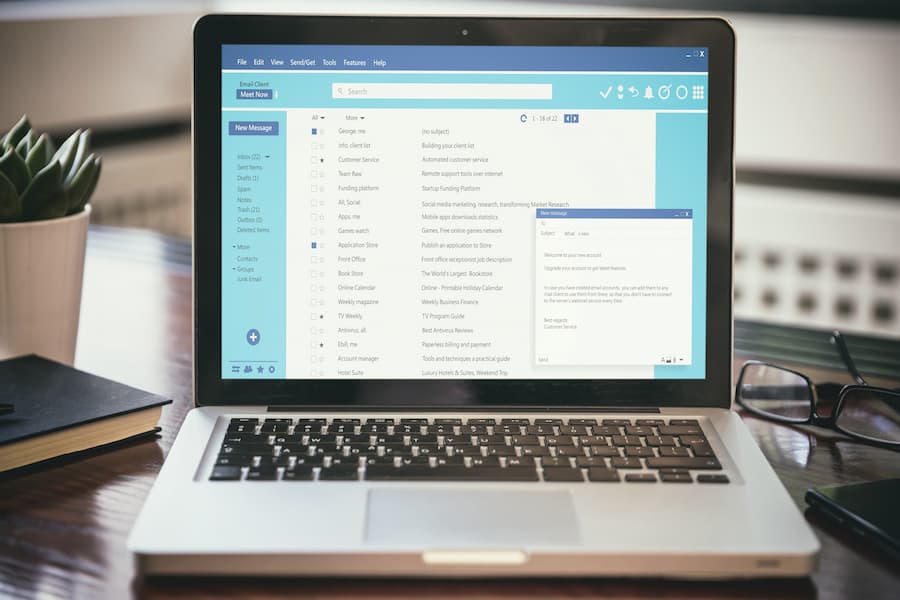
Where the protection sits
Placement matters more than most buyers expect. A secure email gateway parks in front of your tenant and scans mail before Microsoft or Google ever touch it. An API-based tool sits behind delivery instead, reading messages after they land and clawing back anything malicious.
Gateways change your MX records. API tools do not, so they install in minutes and fail gracefully. But gateways can strip a threat before delivery, which some regulated industries still prefer.
- Secure email gateway: pre-delivery scanning, MX record change required, strong policy control
- API integration: post-delivery remediation, no mail flow change, fast to deploy and fast to remove
- Native platform add-on: built into Microsoft 365 or Google Workspace, lowest marginal cost, thinnest coverage against novel attacks
- Encryption portal: a separate secure channel for regulated content, usually bolted onto one of the three above
The Threat Picture
Why email is still the front door
Attackers keep coming back to email because it works. The FBI Internet Crime Complaint Center logged $3.04 billion in business email compromise losses during 2025, up from $2.77 billion the year before. Those losses came from fewer than 25,000 complaints.
That math should stop you cold. A single successful BEC incident averages well over $100,000. And 86 percent of those losses moved by wire or ACH, which means the money was usually gone before anyone noticed.
Reported business email compromise losses in 2025, per the FBI IC3 annual report
Breach economics tell the same story from a different angle. IBM put the 2025 global average breach cost at $4.44 million, with phishing the single most common entry point at roughly 16 percent of incidents. Phishing-initiated breaches averaged $4.8 million and took 254 days to find and contain.
Generative AI changed the tempo, too. Drafting a convincing phishing lure used to take an attacker most of a working day. Now it takes about five minutes, and the grammar mistakes people were trained to spot are gone.
Average time to identify and contain a phishing-initiated breach (IBM, 2025)
Small businesses carry more of this than the headlines suggest. Roughly 43 percent of attacks target companies under the mid-market line, and only a small fraction of those companies have a written security plan. Daytona Beach, Ormond Beach, and Port Orange are full of 15-person firms running payroll and patient records through a mailbox with default settings.
Features
The features worth paying for
Vendor feature lists run long. Most of the length is noise. A short list of capabilities does the heavy lifting, and everything else is packaging.

Encryption, in two flavors
TLS protects the hop between mail servers. Every major provider negotiates it by default now, and it stops passive interception on the wire. It does not protect the message once it lands.
End-to-end encryption goes further: the message is scrambled on the sender device and stays scrambled until the recipient opens it. Even the mail provider cannot read the body. S/MIME and PGP are the two established standards, and both need certificate or key management to work at scale.
Most businesses land on a middle path. Route everything over TLS, then flag regulated content for a secure portal or policy-based encryption. Sending a patient chart or a wire instruction through a portal is friction well spent.
Authentication your domain needs anyway
SPF, DKIM, and DMARC are free. They are also the records most small companies configure halfway and then forget. SPF lists who may send as your domain, DKIM signs outbound mail cryptographically, and DMARC tells receiving servers what to do with anything failing the first two.
A DMARC policy set to none protects nobody. It only reports. Moving to quarantine and then reject is the step most Central Florida firms have never taken, and it is the cheapest anti-spoofing win available.
- Behavioral analysis: flags a message because the writing pattern or request is wrong, not because a signature matched
- Time-of-click URL rewriting: re-checks a link at the moment someone clicks, since attackers arm payloads after delivery
- Attachment detonation: opens files in a sandbox before your staff do
- Impersonation protection: catches lookalike domains and display-name spoofs aimed at your CFO
- Automated remediation: pulls a bad message from every mailbox it reached, retroactively
- Archiving with legal hold: immutable retention for audits, disputes, and public records requests
So press vendors hardest on behavioral analysis. Signature filters catch yesterday. Business email compromise often carries no link and no attachment, just a plausible sentence from a familiar name, so the only tell is behavior.
Budget
What secure email software costs
Pricing is per mailbox, per month, almost universally. Published rates and negotiated rates diverge sharply once you pass a few hundred seats, so treat the table below as a starting range rather than a quote.
| Approach | Typical cost per user/month | Deploys in | Best fit |
|---|---|---|---|
| Microsoft Defender for Office 365 Plan 1 | About $2 standalone, bundled with Business Premium | Hours | Teams already standardized on Microsoft 365 |
| Microsoft Defender for Office 365 Plan 2 | About $5 standalone, included with E5 | Hours | Firms wanting automated investigation and response |
| Proofpoint Essentials | Roughly $3 to $6 | Days | Small business needing gateway-grade filtering |
| Mimecast mid-tier | Roughly $6 to $10 | Days to weeks | Archiving plus filtering under one contract |
| AI-native API tools (IRONSCALES, Abnormal) | Quoted, commonly $4 to $9 | Under an hour | BEC-heavy risk, finance and legal teams |
| Dedicated encryption portal | Roughly $3 to $8 | Days | Healthcare, legal, financial services |
Ranges reflect published list pricing as of 2026. Enterprise agreements, multi-year terms, and bundling routinely cut these figures by a third or more.
Here is the honest caveat. If your organization already pays for Microsoft 365 E5, the marginal cost of Defender Plan 2 is zero, and layering a second vendor on top may buy less than the invoice suggests. We tell clients that plainly, even when it shrinks the sale.
Compare any of these to the alternative. A single wire fraud at $120,000 pays for a decade of filtering across a 40-person company. The arithmetic is not subtle.
Comparison
Gateway, API, or native protection
Buyers usually ask which category is best. The better question is which failure mode you can live with.
| Factor | Secure email gateway | API-based tool | Native platform add-on |
|---|---|---|---|
| Mail flow change | Yes, MX records move | No | No |
| Blocks before delivery | Yes | No, removes after | Yes |
| Time to deploy | Days to weeks | Minutes | Same day |
| Strength against novel BEC | Moderate | Strong | Moderate |
| Outage risk if vendor fails | Mail may queue or stop | Mail keeps flowing | Tied to platform |
| Typical admin overhead | Higher, policy-heavy | Lower | Lowest |
| Encryption included | Usually | Sometimes | Basic |
Gateways give control and cost complexity. API tools give speed and give up pre-delivery blocking. Native add-ons give simplicity and thinner coverage.
Plenty of our clients run a native baseline plus an API layer. That pairing covers commodity spam cheaply and puts the expensive detection where the expensive losses happen.
Compliance
Encryption, retention, and Florida rules
Regulated data raises the stakes. HIPAA does not name a product, but it does require access controls and transmission security, which in practice means encrypted email for anything containing protected health information. Financial firms face similar expectations under GLBA safeguards.
Florida adds its own layer. The state data breach statute requires notice to affected individuals within 30 days, with notice to the Department of Legal Affairs when 500 or more Floridians are involved. That clock starts at determination of a breach, not at your convenience.
Encrypted data changes the calculus. If the exposed records were properly encrypted and the keys were not taken, many notification obligations narrow considerably. Encryption is a legal shock absorber as much as a technical one.
- HIPAA covered entities: encryption for PHI in transit, documented risk analysis, business associate agreements with your email vendor
- Financial services: GLBA safeguards, multi-factor authentication, retention of client communications
- Public agencies: Florida public records law means archiving is not optional, and deletion policies get scrutinized
- Everyone else: cyber insurance carriers now ask about MFA, DMARC, and email filtering on the application itself
That last point catches people. Insurers have tightened underwriting sharply, and an inaccurate answer on a renewal form can void a claim later. The Cybersecurity and Infrastructure Security Agency and the NIST Cybersecurity Framework both publish free baselines you can map your controls against before you sign anything.
Rollout
Deploying without breaking mail flow
Most failed email security projects fail the same way. Someone flips filtering to aggressive on a Monday morning, legitimate invoices vanish into quarantine, and by Wednesday the policy is disabled forever.
A sequence worth copying
Start in monitor mode. Run the tool for two weeks without blocking anything and read what it would have caught. You learn your own traffic patterns and you build a case with real numbers.
Then tune allow lists before enforcement. Your accounting platform, your e-signature vendor, your payroll processor, your largest customers. Each one sends mail your filter has never seen.
Turn on blocking in stages after that. Impersonation protection first, since it carries the lowest false positive rate. Attachment sandboxing next. Aggressive URL policy last.
- Week one: deploy in monitor mode, no enforcement, baseline the noise
- Week two: publish SPF and DKIM correctly, move DMARC to quarantine, review reports
- Week three: enable impersonation and display-name protection, brief the finance team
- Week four: enable attachment detonation and URL rewriting, set quarantine digest to daily
- Week five: move DMARC to reject, run a phishing simulation, measure click rate
- Ongoing: monthly quarantine review, quarterly policy tuning, annual vendor reassessment
The part nobody budgets for
Training. Filtering stops the bulk of it, and a determined attacker will still get one message through to a person with wire authority. A short quarterly session on verification habits beats an annual video nobody watches.
Build one rule into finance and make it non-negotiable: no payment detail changes by email alone. Call the vendor on a number you already had. That single habit has saved our clients more money than any product on this page.
Local Support
How Smart Technologies helps
We have supported Central Florida businesses from our Daytona Beach office since 1999, and email security sits inside our broader managed IT services practice rather than off to the side.
Risk assessment
We audit your current mail flow, DNS records, and quarantine history before recommending a product.
Vendor selection
Product-agnostic advice. If your existing license already covers it, we will tell you so.
DMARC remediation
We publish and tune SPF, DKIM, and DMARC, then walk policy to reject without dropping legitimate mail.
Staged deployment
Monitor first, enforce second. Your invoices keep arriving while protection ramps up.
Dark web monitoring
A free dark web scan shows which of your credentials are already circulating.
Ongoing management
Quarantine review, policy tuning, incident response, and staff training under one agreement.
Curious what an outage actually costs your operation? Our business system downtime calculator puts a number on it in about a minute. Email security spending gets much easier to justify once that figure is on paper.
We also handle the adjacent pieces. Business process automation reduces how much sensitive material travels by email in the first place, which is a quieter fix than any filter.
Pitfalls
Mistakes we see most often
Four patterns repeat across the businesses we assess. None of them require a big budget to correct.
- DMARC stuck at none. The record exists, the policy does nothing, and everyone assumes spoofing is handled.
- Shared mailboxes without MFA. info@ and billing@ are often the weakest accounts in the building.
- Filtering tuned once and never revisited. Attack patterns shifted; the rules did not.
- No archive. When a dispute lands, reconstructing a thread from individual inboxes is painful and legally shaky.
There is a fifth worth naming. Buying more product than the team can operate. A tool nobody has time to tune degrades into an expensive spam filter within a year, and the gap between what you bought and what you run is where incidents happen.
Incident Response
Signs a mailbox is already compromised
Detection beats prevention some of the time, because prevention eventually fails. Compromised accounts leave traces, and most of them are visible in your admin console without any extra tooling.
Look for inbox rules nobody remembers creating. Attackers commonly add a rule forwarding anything containing the word invoice or payment to an outside address, then delete the original from view. The victim sees a normal inbox while their vendor correspondence quietly routes elsewhere.
- Unexplained forwarding or redirect rules on any mailbox, especially finance and executive accounts
- Sign-ins from unfamiliar locations or impossible travel between two logins minutes apart
- Legacy authentication attempts against accounts nobody uses that way anymore
- Customers reporting invoices your team never sent, or payment details nobody changed
- Sent items missing messages recipients confirm receiving
- A sudden spike in quarantine traffic aimed at one department
Speed matters enormously once you spot one. Revoke active sessions first, because resetting a password alone leaves a stolen token working. Then reset credentials, audit mailbox rules, check delegate permissions, and review anything sent during the exposure window.
Share of 2025 BEC losses transferred by wire or ACH, where recovery windows are measured in hours
Notify your bank the same day if any payment instruction was touched. Recovery odds fall sharply after roughly 72 hours, and the FBI financial fraud kill chain works best when a report lands early. Your cyber insurance carrier likely has notification deadlines in the policy, too.
And document everything as you go. Screenshots, timestamps, the rules you found, the accounts affected. That record drives your regulatory notice decision later, and reconstructing it from memory a month afterward rarely goes well.
Smart Technologies keeps a written response runbook for every managed client, so the first fifteen minutes are not spent deciding who calls whom. Small detail, large difference.
Questions
Frequently asked questions
Is Microsoft 365 secure enough on its own?
For a low-risk office with no regulated data, often yes. Exchange Online Protection filters a large share of commodity spam and malware. Firms handling patient records, client funds, or wire instructions usually need a second layer, because native filtering is weaker against targeted business email compromise carrying no link and no attachment.
What does secure email software cost for a small business?
Budget $2 to $10 per user each month. Microsoft Defender for Office 365 Plan 1 sits near the bottom at about $2 standalone. Gateway products such as Proofpoint Essentials run roughly $3 to $6, and AI-native tools quote in the $4 to $9 range. A 25-person company therefore spends somewhere between $600 and $3,000 a year.
What is the difference between encryption and email filtering?
Filtering decides what reaches the inbox. Encryption decides who can read a message once it exists. They solve different problems, and a product strong at one is not automatically strong at the other. Regulated businesses generally need both.
Do I need SPF, DKIM, and DMARC if I already have a security product?
Yes. Those three DNS records govern how the rest of the internet treats mail claiming to come from your domain. No filtering product can stop a criminal from spoofing your name to your customers. Only a DMARC policy set to quarantine or reject does that, and it costs nothing beyond the configuration time.
Will a secure email gateway slow down my mail?
Measurably, but barely. Expect a few seconds of added latency for standard scanning, and up to several minutes when an attachment goes to a sandbox. Users rarely notice. What they do notice is over-aggressive quarantine, which is a tuning problem rather than a speed problem.
What is business email compromise?
BEC is fraud carried out through a legitimate-looking message rather than malware. An attacker impersonates an executive, vendor, or title company and requests a payment or a change of banking details. The FBI logged $3.04 billion in BEC losses during 2025 from fewer than 25,000 complaints, which makes it the costliest email threat by a wide margin.
How long does deployment take?
An API-based tool connects in under an hour. A gateway requires an MX record change and typically runs one to three weeks including tuning. The technical work is quick either way; the calendar time goes into monitor mode and allow-list cleanup before enforcement.
Does email encryption satisfy HIPAA?
Encryption is a major piece, not the whole requirement. HIPAA also expects a documented risk analysis, access controls, workforce training, and a business associate agreement with any vendor touching protected health information. Encryption without the paperwork still leaves you exposed during an audit.
Can secure email software stop ransomware?
It stops a large share of the delivery attempts, since email remains a primary entry route. It cannot stop ransomware arriving through a compromised remote access account or an unpatched edge device. Email security is one control among several, and backups remain the last line.
What happens to quarantined messages?
Most platforms hold them 14 to 30 days and send users a daily digest to release false positives themselves. Administrators can search the full quarantine. Setting a sensible retention window matters, because a message purged at day seven is gone when someone finally asks about it.
Do we still need phishing training with good filtering in place?
Yes, and the two reinforce each other. Filtering reduces volume so the messages reaching staff are the sophisticated ones. Short quarterly sessions and occasional simulations outperform a single annual video. Measure click rate over time rather than completion rate.
Does Smart Technologies support businesses outside Daytona Beach?
We serve Volusia, Flagler, Seminole, and Orange counties, with clients across Ormond Beach, Port Orange, New Smyrna Beach, Deltona, Sanford, and the greater Orlando area. Remote management covers most email security work, and we come on site when a project calls for it.
Talk to someone local about your email risk
Smart Technologies has protected Central Florida businesses since 1999. We will review your mail flow, DNS records, and licensing at no charge, then tell you honestly whether you need a new product or better use of the one you own.
GET A FREE QUOTE
(386) 252-2292
Business Transformation Agency