

Office Technology & Print Management
How Long Do Printers Last? Average Lifespan by Type (Updated 2026)
A practical look at printer life expectancy, what shortens it, and how Central Florida businesses keep office printers running longer.
How Long Do Printers Last on Average?
You bought a printer. Now you want to know how long it will pull its weight before it dies. Fair question. The honest answer sits in a range, not a single number.
Industry data puts the average office printer or copier at roughly 5 to 7 years of useful service. Type matters a lot here. A home inkjet might give you 2 to 5 years. Business inkjets stretch to 3 to 6. Workhorse office laser printers can push 5 to 10 years with steady care, according to managed print providers like Gordon Flesch.
So why the wide spread? Because a printer is a machine with moving parts. Run it hard and skip maintenance, and it ages fast. Treat it well, and it rewards you. Smart Technologies has serviced printers across Daytona Beach and Central Florida since 1999, and we see the same pattern every year.
| Printer Type | Typical Lifespan | Best Use Case |
|---|---|---|
| Home inkjet | 2 to 5 years | Light personal printing |
| Business inkjet | 3 to 6 years | Small offices, color work |
| Office laser | 5 to 10 years | High-volume daily printing |
| Multifunction copier | 5 to 7 years | Print, scan, copy, fax in one |
years is the average useful life of a business office printer or copier
What Affects How Long a Printer Lasts
Four things shape your printer’s lifespan more than anything else. Get these right and you tilt the odds in your favor.
Printer type and build quality
A cheap desktop unit and a commercial-grade machine are not the same animal. Build quality drives durability. Laser engines generally outlast inkjet heads because toner powder does not dry out or clog the way liquid ink can.
Usage frequency and volume
Print volume is the big one. The more pages you push, the harder the rollers, fusers, and motors work. A printer running a few jobs a week ages slowly. One hammering out thousands of pages a day wears down much sooner.
Environmental conditions
Heat, humidity, and dust are quiet killers. Central Florida humidity is no joke, and it can warp paper and gum up internal parts. Keep machines in a clean, climate-controlled spot. Your printer will thank you.
Maintenance habits
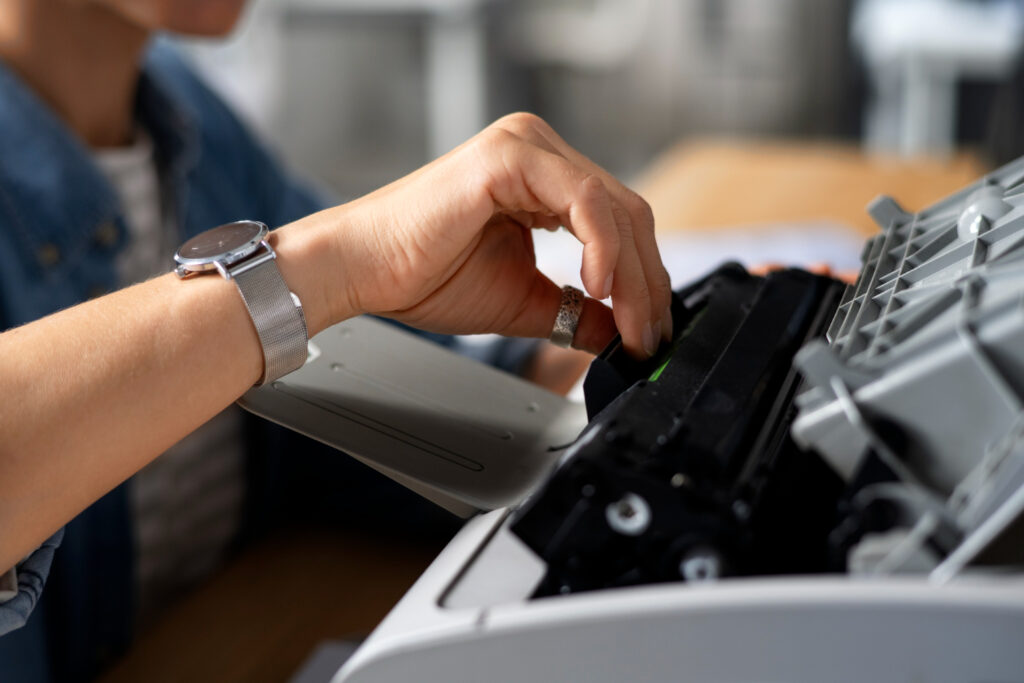
Regular cleaning, timely part swaps, and current drivers add years. Neglect does the opposite. A printer left to collect dust and run on old firmware fails early, and the repair bills stack up.
- Type and quality: commercial laser units last longest.
- Volume: heavy daily printing shortens life.
- Environment: dust and humidity speed up wear.
- Maintenance: cleaning and updates buy you time.
Laser vs Inkjet: Which One Lasts Longer?
This is the question we hear most. Laser printers usually win on lifespan. Here is why.
Inkjet printers spray liquid ink through tiny nozzles. Skip a few weeks of printing and the ink can dry, clog the heads, and force cleaning cycles, wasting ink in the process. Laser printers use heat and dry toner instead. No nozzles to clog. No ink to dry out. This design alone gives laser units a durability edge.
But inkjets are not useless. They handle photos and rich color beautifully, and they cost less upfront. For a small office printing modest color volumes, a good inkjet earns its keep. For a busy team running heavy black-and-white volume, a laser is the smarter long-term bet.
| Factor | Laser | Inkjet |
|---|---|---|
| Typical lifespan | 5 to 10 years | 3 to 5 years |
| Best for | High-volume text | Color and photos |
| Clogging risk | Very low | Higher if idle |
| Cost per page | Lower | Higher |
| Upfront price | Higher | Lower |
Duty Cycle and Recommended Monthly Volume
Here is a spec most buyers ignore. It quietly decides how long your printer survives. Duty cycle is the maximum number of pages a printer can handle in a month under ideal conditions. Recommended monthly volume, or RMV, is the realistic everyday target.
A common rule of thumb: keep your real monthly volume at roughly 10 to 20 percent of the rated duty cycle, as Ricoh explains. Push a printer past its sweet spot month after month and you invite jams, overheating, and early failure. Industry estimates suggest a large share of printer problems trace back to machines running over their recommended volume.
So match the machine to the workload. A printer rated for 5,000 pages a month will buckle under a 12,000-page office. Size up, and the same office runs smoothly for years. Smart Technologies sizes equipment to real volume before anyone signs anything.
of the rated duty cycle is the safe monthly print volume for a long printer life
Signs It Is Time to Replace Your Printer
How do you know when a printer has reached the end? Watch for these signals. One alone may not mean much. Several together usually do.
- Frequent paper jams no longer clearing easily.
- Faded, streaked, or smudged output even after cleaning.
- Rising repair costs approaching the price of a new unit.
- Slow speeds bottlenecking your team’s workday.
- Parts or toner cartridges growing hard to find or discontinued.
- No support for current operating systems or security updates.
A useful gut check: when one repair costs more than half a replacement, replacement usually wins. And if your printer can no longer keep up with your team, even a working machine may be holding you back.
How to Extend Your Printer’s Lifespan
Good news. You can stretch a printer’s life well past the average with a few habits. None of these are hard.
- Clean it regularly. Wipe rollers and clear dust from internal parts on a schedule.
- Use quality supplies. Genuine or vetted toner and ink protect the engine.
- Keep drivers and firmware current. Updates fix bugs and patch security holes.
- Respect the duty cycle. Stay inside the recommended monthly volume.
- Power down when idle. Less continuous running means less wear.
- Print smart. Use draft mode for internal documents to ease strain.
- Control the room. Keep machines cool, dry, and out of direct sun.
Want this handled for you? A managed print program from Smart Technologies covers cleaning, supplies, and proactive service so your team never thinks about it.
Repair, Replace, or Lease? The Cost Question
A dying printer forces a choice. Fix it, buy new, or lease. Each path fits a different situation.
Repair makes sense for a newer machine with a single failed part. Buying outright suits a business that prints little and wants no monthly commitment. Leasing fits offices that print steadily and want predictable costs plus built-in service. Many Central Florida businesses lean toward leasing or managed print for one reason: it bundles the machine, supplies, and maintenance into a single line item.
Here is where the math gets interesting. Managed print services often cut total print spend by 20 to 30 percent or more, with many businesses seeing measurable return inside the first year, per Quocirca’s 2025 print research. So the cheapest printer on the shelf is rarely the cheapest printer to own.
average reduction in print costs many businesses see with managed print services
Five-Year Cost of Ownership, Not Just Sticker Price
The price tag tells you almost nothing about the true cost of a printer. Toner, ink, parts, energy, and downtime add up fast over five years. A bargain machine can quietly become the most expensive one in the building.
Cost per page is the number worth chasing. Laser printers usually win here because toner yields more pages than ink and rarely dries out. An inkjet may cost less on day one, then drain your budget through frequent cartridge swaps. So the smart move is to add up supplies and service across the full lifespan, not just the upfront spend.
| Cost Factor | Why It Matters Over Time |
|---|---|
| Cost per page | Small differences multiply across thousands of pages. |
| Supply availability | Scarce toner forces early replacement. |
| Service and parts | Wear parts like drums and fusers carry real cost. |
| Downtime | A printer down for days stalls a whole team. |
| Energy use | Efficient models trim the power bill year after year. |
This is exactly where a managed print partner earns its keep. By tracking usage and bundling supplies and service, Smart Technologies turns a pile of unpredictable costs into one steady, lower line item.
How Toner and Ink Choices Affect Lifespan
The cartridges you feed a printer shape how long it lives. Cheap third-party supplies can leak, clog, or leave residue inside the machine. Over time that grime wears parts and voids some warranties. Genuine or carefully vetted supplies cost a little more, yet they protect the engine you paid for.
High-yield cartridges help too. They print more pages per unit, so you swap them less often and handle the machine less. Fewer interruptions mean less wear on doors, latches, and rollers. Smart Technologies sources reliable supplies and delivers them before you run dry, which keeps your fleet healthy and your team printing.
What to Look For in a Printer Built to Last
Shopping for a new machine? A few specs separate a printer built for the long haul from one destined for the closet. Knowing them saves money and headaches.
Match the duty cycle to your real volume
Count your monthly pages first, then buy. A printer rated well above your needs runs cool and lasts longer. One running near its ceiling every month wears out fast. Honest sizing beats guesswork every time.
Favor laser for heavy text printing
Offices pushing high black-and-white volume get more years and a lower cost per page from laser engines. Inkjet still shines for color and photos. So weigh your actual print mix, not the sticker price.
Check supply availability and cost
A cheap printer with pricey or scarce cartridges is a trap. Look at the cost per page and confirm supplies will stay available for years. Discontinued toner can end a printer’s life early, even when the hardware still works.
Look for solid build and good support
Metal frames, sturdy paper trays, and a strong service network all add longevity. Brands like HP, Ricoh, and Xerox build commercial lines for daily abuse. A business-grade unit costs more upfront and earns it back in years of service.
- Duty cycle: buy above your monthly volume, not at it.
- Technology: laser for volume, inkjet for color.
- Supplies: confirm cost per page and long-term availability.
- Build and support: commercial frames and local service win.
Common Printer Problems and What They Mean
A struggling printer usually tells you what is wrong, if you know how to read the signs. Here are the issues we field most often, and what each one points to.
Streaky or faded prints
Faint or streaked pages often mean low toner, a worn drum, or a dirty print head. On a laser unit, a fresh toner or drum frequently fixes it. On an inkjet, a head cleaning may clear the lines. Persistent streaks on an older machine hint at deeper wear.
Constant paper jams
Jams point to worn pickup rollers, damp paper, or a unit pushed past its limits. Florida humidity makes paper curl, so storage matters. Fresh reams kept in a dry spot cut jam rates noticeably.
Ghosting or repeated marks
Faint repeated images down the page usually signal a tired drum or fuser. These are wear parts. Replacing them can revive a mid-life printer, though on an aging unit the cost may tip you toward a new machine.
Grinding or unusual noise
New noises rarely mean good news. Grinding often points to a failing gear or motor. Catch it early and a technician can swap the part. Ignore it and the damage spreads. So act on strange sounds quickly.
Stuck on a stubborn problem? Smart Technologies of Florida troubleshoots and services printers across the region, and we will tell you honestly when a fix beats a replacement.
Printer Lifespans in Central Florida Offices
Location plays a part too. Offices in Daytona Beach, Orlando, and across Central Florida deal with heat and humidity most of the year. This climate stresses paper handling and internal components more than a dry, temperate office would.
We have seen identical printer models last very different lengths depending on placement. A unit tucked in a cool, clean copy room outlives the same model parked by a sunny window or a humid storeroom. Small choices add up. Smart Technologies of Florida factors local conditions into every recommendation we make, because a printer that thrives in Minnesota may sweat through summers here.
Curious how your current fleet stacks up? Our team offers print assessments for businesses across the region. Reach out through our managed IT and print page or call the office directly.
How Smart Technologies Helps
We do more than sell hardware. We keep your office printing reliably, year after year. Here is how.
Frequently Asked Questions
How long do printers last on average?
Most office printers last 3 to 7 years. Laser models built for daily work often reach 5 to 10 years, while inkjet printers usually run 3 to 5 years. Usage, maintenance, and environment all shift where your machine lands.
Do laser printers last longer than inkjet printers?
Yes, in most cases. Laser printers use dry toner and heat, so they avoid the clogged nozzles and dried ink that shorten inkjet life. For heavy office use, a laser printer is the more durable choice.
What is the average lifespan of an office copier?
A business multifunction copier typically lasts 5 to 7 years. Steady maintenance and staying within the recommended monthly volume can push that figure higher.
How can I make my printer last longer?
Clean it on a schedule, use quality supplies, keep firmware current, and respect the duty cycle. Power the unit down when idle and keep it in a cool, dry spot. These habits add real years.
When should I replace my printer instead of repairing it?
A good rule: if a single repair costs more than half the price of a new unit, replace it. Frequent jams, discontinued parts, and speeds that slow your team are other strong signals.
What is a printer duty cycle?
Duty cycle is the maximum number of pages a printer can handle in a month under ideal conditions. Your real monthly volume should stay near 10 to 20 percent of that figure for a long, healthy life.
Why does my printer keep jamming?
Frequent jams often point to worn rollers, humidity affecting the paper, or a machine pushed past its recommended volume. If cleaning and fresh paper do not fix it, the unit may be wearing out.
Does Florida humidity shorten printer life?
It can. High humidity warps paper and can gum up internal parts, which raises jam rates and wear. A climate-controlled room helps printers in Daytona Beach and across Central Florida last longer.
Is it cheaper to lease or buy a printer?
It depends on volume. Low-volume offices may do fine buying outright. Offices printing steadily often save with a lease or managed print plan, since service and supplies are bundled into one predictable cost.
Can managed print services really lower my costs?
Often, yes. Many businesses cut total print spend by 20 to 30 percent with managed print, thanks to usage tracking, right-sized fleets, and fewer service calls. Smart Technologies builds plans around your actual printing.
How often should a printer be serviced?
For a busy office machine, a professional cleaning and check every few months works well. Light-use printers can go longer. A managed print plan handles this timing for you automatically.
Get More Life From Your Office Printers
Smart Technologies helps Central Florida businesses choose, maintain, and manage printers that go the distance. Let us assess your fleet and find the savings.
GET A FREE QUOTE
(386) 252-2292
Business Transformation Agency
Smart Technologies of Florida | 771 Fentress Blvd Suite 10, Daytona Beach, FL 32114 | Serving Florida businesses since 1999. Explore our managed IT and print solutions or learn more about printer care from HP.