
Finding the Right Compatible Toner Cartridge for Your Printer

August 28, 2026
 2866 views
 0 comments
Printers & Supplies
A practical buying guide to third party toner cartridges, page yield claims, warranty rules, and the cost math behind every replacement cartridge your office orders.
A compatible toner cartridge is a newly manufactured, third party cartridge built to fit a specific printer model without being made by the printer brand. Good ones cost roughly 30 to 75 percent less than the original manufacturer version and print acceptably for everyday office work. Risk climbs with high page volumes, older fleets, and unknown sellers, so check the yield standard, the defect rate, and the warranty language before ordering a pallet of anything.
What a Compatible Toner Cartridge Really Is
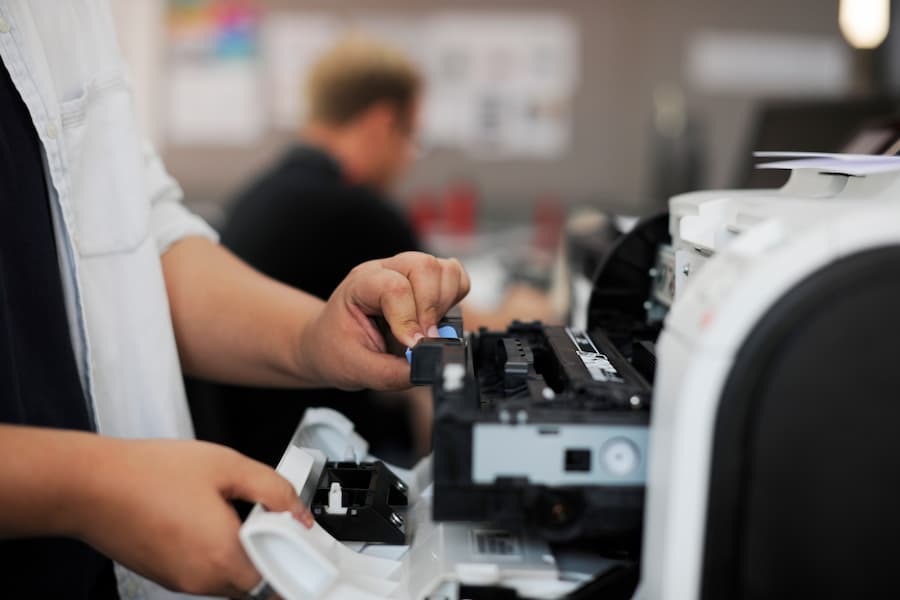
Every laser printer works the same basic way. A drum picks up a charge, toner powder sticks to the charged areas, and a hot fuser melts the powder into the paper fibers. The cartridge holds the powder and, on many models, the drum and wiper blade too. So the cartridge is not a dumb plastic box. It is a consumable machine part doing precision work thousands of times an hour.
A compatible toner cartridge is built new by a third party manufacturer. It copies the physical dimensions, the chip handshake, and the toner formulation closely enough to run in a printer it was never officially designed for. Nothing about it is used or refilled. Compare that to a remanufactured cartridge, which starts life as a genuine empty, then gets stripped, cleaned, reloaded, and resold.
Businesses across Daytona Beach and greater Orlando ask us about this constantly, usually right after a supply invoice lands. And the honest answer is not a slogan in either direction. Some compatible cartridges are excellent. Others are junk in a nicely printed box. The gap between those two outcomes is mostly about who made the thing and whether anyone tested it.
Three Cartridge Categories, Plainly Stated
- OEM. Made by the printer brand: HP, Ricoh, Canon, Xerox, Brother, Kyocera. Highest price, tightest tolerances, cleanest warranty story.
- Compatible. New build by an independent factory. Mid to low price, quality range is enormous.
- Remanufactured. A genuine shell refurbished and refilled. Price sits between the other two, and quality depends entirely on the remanufacturer’s process discipline.
People blur these three constantly. A seller advertising “genuine quality” at a third of the price is almost never selling an original. Read the product page, not the headline.
Compatible vs OEM vs Remanufactured
Here is how the three options usually compare across the factors purchasing managers actually weigh. Treat the ranges as typical rather than guaranteed, because a well run compatible line can beat a sloppy remanufactured one on every row.
| Factor | OEM | Compatible | Remanufactured |
|---|---|---|---|
| Typical cost per cartridge | Baseline (highest) | 25 to 70 percent of OEM | 40 to 75 percent of OEM |
| Page yield consistency | Very consistent | Varies by brand | Varies by remanufacturer |
| Chip and firmware behavior | Always recognized | Occasional rejection after updates | Usually recognized |
| Print quality on text | Excellent | Good to excellent | Good |
| Print quality on graphics | Excellent | Fair to good | Fair to good |
| Warranty on the cartridge | Manufacturer backed | Seller backed, read the terms | Seller backed, read the terms |
| Environmental profile | New materials, take back programs | New materials | Reuses an existing shell |
| Best fit | High volume, client facing output, leased fleets | Internal documents, low to mid volume | Cost control with a recycling goal |
Notice what is missing from the table: a winner. There isn’t one. The right pick depends on how much you print, what the printed page is for, and how much downtime costs you on a Tuesday morning.
Where the Savings Actually Come From
Third party cartridges undercut the originals because the printer business has run on the razor and blades model for decades. Hardware sells cheap. Supplies carry the margin. Independent factories skip the research budget, the brand marketing, and the dealer channel, then price accordingly.
Typical price gap between a compatible cartridge and the equivalent OEM cartridge, per industry reporting from print dealers
But the sticker gap is not the savings. Cost per page is the number worth tracking, and it moves for three reasons: real yield versus claimed yield, waste from reprints, and service events caused by a bad cartridge.
A Simple Cost Per Page Example
Say a mono workgroup printer runs 4,000 pages a month. The OEM cartridge costs 180 dollars at a rated 12,000 pages. A compatible sells for 62 dollars claiming the same 12,000. On paper the compatible saves a fortune. Now suppose the compatible actually delivers 9,000 usable pages and produces a light streak on roughly one in forty pages.
| Line item | OEM cartridge | Budget compatible | Vetted compatible |
|---|---|---|---|
| Cartridge price | $180.00 | $62.00 | $89.00 |
| Claimed yield | 12,000 | 12,000 | 12,000 |
| Realistic yield | 12,000 | 9,000 | 11,400 |
| Cost per page | 1.50 cents | 0.69 cents | 0.78 cents |
| Reprint waste allowance | Negligible | 2.5 percent | 0.5 percent |
| Effective cost per page | 1.50 cents | 0.71 cents | 0.78 cents |
| Service risk | Lowest | Highest | Low to moderate |
Figures are illustrative modeling built on the commonly cited 30 to 75 percent price gap, not vendor quotes. Your actual pricing, yields, and coverage will differ. Ask any supplier for their tested yield data before budgeting from numbers like these.
The budget option still wins on paper. So why does anyone pay more? Because one fuser replacement, or one afternoon of a stalled print queue during month end billing, erases a year of cartridge savings. Risk is the hidden line item.
How to Find the Right Compatible Toner Cartridge for Your Printer
Matching a cartridge to a machine sounds trivial until you are staring at nine listings with nearly identical part numbers. Work through it in order.
Step 1: Get the exact model, not the family name
“HP LaserJet Pro” is a family. “HP LaserJet Pro M404dn” is a model. The label sits on the front bezel, inside the front door, or on the back panel near the serial number. You can also print a configuration page from the device menu; every business class printer has one.
Step 2: Record the OEM cartridge number
Pull the installed cartridge and read the code stamped into the plastic. Something like CF258A, TN760, or 006R01731. Third party sellers index their catalogs against these codes, so the OEM number is your search key even though you are buying something else.
Step 3: Check standard versus high yield
Most part numbers come in two flavors. CF258A is standard; CF258X is high yield. High yield cartridges cost more per unit and less per page. For a busy device, the high yield version is usually the cheaper choice over a year.
Step 4: Confirm the seller lists your exact model
- Your printer model appears by name in the compatibility list, not just “and similar models.”
- The listing states the tested page yield and the coverage assumption behind it (five percent is the industry norm).
- Return policy covers a cartridge which fails on arrival, including return shipping.
- A real phone number and a human support channel exist, not just a contact form.
- Reviews mention your specific printer family rather than generic praise.
Step 5: Buy one before you buy twenty
Test a single cartridge in a single machine for a full cycle. Watch for streaking, ghosting, background haze, and toner dust inside the paper path. If it runs clean through the whole cartridge, order in volume. If not, you spent 60 dollars learning something useful.
What Separates a Good Compatible Cartridge From a Bad One
Price tells you almost nothing about quality. These markers tell you more.
Published yield tested to a real standard
Page yield is not a marketing opinion. There is an international method for measuring it. ISO/IEC 19752 defines how monochrome toner yield gets determined: a standard test page, default printer settings, a controlled temperature range, and a minimum of nine cartridges averaged together. A seller quoting a yield without naming the method is quoting a guess.
Manufacturing certifications
ISO 9001 covers quality management process. STMC covers cartridge specific testing procedure. Neither certificate guarantees a perfect cartridge; both indicate somebody is measuring output instead of hoping. Ask which factory holds the certificate, because sellers sometimes borrow credentials from a supplier they no longer use.
A stated defect rate
Serious suppliers track failures and will tell you the number. Under two percent is the figure the better vendors publish. Vague reassurance is not a defect rate.
Warranty language covering the printer, not just the box
Two very different promises hide behind the word warranty. One replaces a dud cartridge. The other pays for printer repair if the cartridge damages your machine. The second promise is rarer and far more valuable. Read it in writing before the first order.
Minimum number of cartridges averaged under ISO/IEC 19752 before a legitimate page yield figure can be published
Packaging and chip honesty
Cartridges arriving in unbranded bags with a handwritten part number are a warning. So are listings using OEM product photography. Reputable third party brands put their own name on the box; they are not pretending to be somebody else.
Does Compatible Toner Void Your Printer Warranty?
Short version: no, not automatically. In the United States the Magnuson Moss Warranty Act generally bars a manufacturer from conditioning warranty coverage on the use of branded parts or supplies, unless those parts are provided free or the manufacturer has an FTC waiver. The FTC guide to federal warranty law lays out the framework. Printer makers know it, which is why almost none of them claim a third party cartridge voids anything outright.
The real exposure sits elsewhere. Coverage for the printer continues, but damage traced to a specific third party cartridge typically falls outside it. So a paper feed fault or a network board failure stays covered regardless of what toner you use. A fuser coated in leaked powder from a bargain cartridge is a different conversation, and you may be paying for that one.
Leased equipment adds a second layer. Many service agreements bundle supplies into the click charge, and using outside toner can breach the contract or shift liability. Anyone on a copier lease through a Central Florida dealer should read the supply clause before switching. We would rather answer that question in advance than after a service call.
This section summarizes general warranty principles and is not legal advice. Contract terms vary, and a lawyer or your dealer should review specific agreement language.
How a Bad Cartridge Damages a Printer
Most compatible cartridges install and run without drama. The failures, though, follow predictable patterns. Print technicians see the same short list over and over.
- Toner leakage. Powder escapes the seal and coats rollers, sensors, and the paper path. Cleanup is slow, and contaminated optics cause banding for weeks afterward.
- Poor fuser adhesion. Toner formulated for a different melt point smears when you rub the page. Signed contracts and shipping labels are unforgiving about this one.
- Inconsistent density. Text goes pale in patches, or one side of the page runs lighter than the other.
- Chip rejection. The printer refuses the cartridge, reports a false low toner state, or nags on every job.
- Accelerated drum and fuser wear. Abrasive formulations and loose tolerances shorten the life of the two most expensive serviceable parts.
None of that means compatible toner is a trap. It means the cheapest listing on a marketplace carries real downside, and downside costs money quietly. A printer sitting dead during payroll week has a labor cost nobody logs against the supply budget.
Warning signs worth acting on
- Visible toner dust inside the machine or on the output tray.
- Print quality falling off sharply within the first thousand pages of a new cartridge.
- Smearing that transfers to your fingers.
- New error codes appearing right after a cartridge change.
- A fuser running hotter or louder than normal.
Pull the cartridge and inspect the paper path if you see these. Continuing to print through a leak turns a 60 dollar problem into a service ticket.
The Chip Problem Nobody Warns You About
Modern cartridges carry a small chip reporting toner level and authenticating the part. Compatible manufacturers reverse engineer that handshake. It works, until a firmware update changes the rules.
Fleets have woken up to rejected cartridges after an overnight update pushed to every device. Nothing was broken; the printers simply stopped accepting the toner sitting in the supply closet. So if your organization runs third party cartridges at scale, controlling firmware update timing matters as much as choosing the cartridge. Our managed IT team handles update scheduling for exactly this kind of reason.
There is a security angle too. A cartridge chip is a programmable component sitting on a networked device, and printers are frequently the least monitored endpoint in an office. The risk is modest compared with email or remote access, yet it is not zero, and it is one more argument for buying from a supplier you can name.
Practical mitigations
- Stage firmware updates on one device before pushing fleet wide.
- Keep two or three OEM cartridges on hand as a fallback for critical machines.
- Buy compatible stock in smaller, more frequent batches so a firmware change cannot strand a year of inventory.
- Track printer firmware versions alongside the rest of your endpoint inventory.
The Environmental Side of the Decision
Cartridge waste is a genuinely large problem and rarely part of the purchasing conversation. Industry estimates put the number of empty ink and toner cartridges discarded annually above 375 million, with roughly 30 percent recycled and the balance heading to landfill. A laser cartridge takes centuries to break down.
Ink and toner cartridges estimated discarded each year, with only about 30 percent recycled, per widely cited recycling industry figures
These recycling figures circulate widely across the cartridge industry and appear to trace back to trade association estimates rather than a single audited government dataset. Treat them as directional, and verify against a primary source such as an EPA or manufacturer sustainability report before citing them in formal materials.
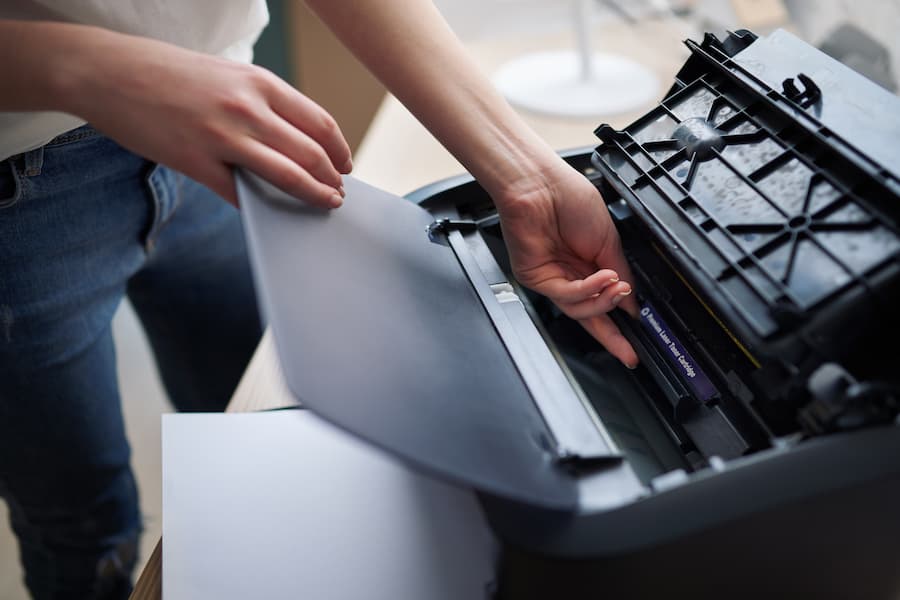
Remanufactured cartridges score best here because they reuse an existing shell. New compatibles use new plastic, same as OEM. But most major manufacturers now run free take back programs; HP publishes its cartridge return process publicly, and Ricoh, Xerox, Canon, and Brother operate similar schemes. Third party sellers vary wildly on whether they accept returns of empties at all.
Ask the question during procurement. A supplier with no answer about end of life is telling you something about how they operate generally.
When Compatible Toner Makes Sense, and When It Does Not
Skip the ideology. Match the cartridge to the workload.
Reasonable cases for compatible toner
- Low to moderate monthly volume, roughly under 2,000 pages per device.
- Internal documents: drafts, packing slips, meeting handouts, internal reports.
- Older printers already past their depreciation, where a failure means replacement rather than repair.
- Owned equipment with no service contract restricting supplies.
- A vetted supplier with published yields and a printer damage warranty.
Cases where the original cartridge earns its price
- Client facing output: proposals, marketing collateral, legal filings, medical records.
- High volume production devices where a jam blocks a whole department.
- Leased or contracted equipment with supply terms baked into the agreement.
- Color work where hue accuracy matters against a brand standard.
- Any device whose downtime stops billing, dispatch, or patient intake.
Plenty of Central Florida offices run a hybrid: originals in the two machines producing client documents, vetted compatibles in the back office workhorses. That split captures most of the savings and almost none of the risk. It is the arrangement we recommend most often to businesses along the I-4 corridor and up the coast through Volusia County.
The option people forget
Sometimes the cartridge question is the wrong question. If toner spend is climbing every quarter, the underlying issue is usually uncontrolled printing: color defaults nobody changed, single sided output, personal desktop printers multiplying quietly, no visibility into who prints what. Fixing the behavior beats optimizing the consumable. Print management programs typically bundle supplies, service, and monitoring into a predictable per page rate, which removes the purchasing decision from the equation entirely.
Want a middle path? Standardize on fewer printer models first. A fleet of three models is dramatically cheaper to supply than a fleet of eleven, whichever cartridge type you choose. Take a look at our printer and copier lineup if consolidation is on the table, or read our breakdown of how multifunction printers work before adding another device.
How Smart Technologies Helps Florida Businesses Control Toner Costs
Smart Technologies has served Florida businesses since 1999 from our Daytona Beach office. Toner is a small line item on its own; it is a useful window into whether a print environment is being managed or merely tolerated.
Print Assessment
We count the devices, measure real volumes, and show what each page actually costs today. No guessing from invoices.
Fleet Standardization
Fewer models means fewer cartridge SKUs, simpler stocking, and better pricing on every order.
Supply Automation
Devices report toner levels, and replacements ship before anyone opens the closet and finds it empty.
Service Coverage
Local technicians across Volusia, Flagler, and Orange counties, with parts on the van rather than on order.
Security And Updates
Printers get patched and monitored alongside the rest of your endpoints, so firmware changes stop surprising you.
Workflow Automation
The cheapest page is the one nobody printed. We digitize routing and approvals to cut volume outright.
Curious what your print environment costs per page right now? Most businesses guess low by a wide margin. A short assessment from Smart Technologies of Florida usually answers the toner question by making it smaller.
Compatible Toner Cartridge FAQ
What is a compatible toner cartridge?
A compatible toner cartridge is a brand new cartridge manufactured by a third party company rather than the printer maker. It is engineered to fit a specific printer model and approximate the original cartridge in fit, chip behavior, and toner performance. Nothing inside is recycled or refilled, which distinguishes it from a remanufactured cartridge.
Does compatible toner void a printer warranty?
Not by itself. Under the Magnuson Moss Warranty Act in the United States, a manufacturer generally cannot condition warranty coverage on the use of branded supplies. Coverage for the printer continues. The exception is damage directly traced to the third party cartridge, and repairs of that kind usually fall on the owner.
How much money does compatible toner save?
Industry sources commonly cite savings of 30 to 75 percent against the original cartridge price. Actual savings shrink once you account for lower real world yields, reprints, and any service events. Cost per page, measured over a full cartridge cycle, is the honest comparison.
Can compatible toner damage a printer?
Poorly made cartridges can. The common failure modes are toner leakage inside the machine, powder that will not fuse properly to the page, and abrasive formulations that wear the drum or fuser early. Well made cartridges from suppliers with tested yields and published defect rates rarely cause these problems.
Why does a compatible cartridge print fewer pages than advertised?
Yield is measured under standardized conditions at roughly five percent page coverage. Some third party cartridges are not tested to the ISO/IEC 19752 method at all, and some are filled with less toner than the original. Heavier coverage in your documents also lowers real page counts regardless of brand.
What is the difference between compatible and remanufactured?
A compatible cartridge is built new from new parts by an independent manufacturer. A remanufactured cartridge is an original empty shell that has been collected, disassembled, cleaned, fitted with replacement wear parts, and refilled. Remanufactured options reuse materials; compatible options do not.
How do I find which cartridge fits my printer?
Read the exact model number from the printer bezel or a printed configuration page, then read the part code stamped on the installed cartridge. Search third party catalogs using that original part code, and confirm your exact model appears by name in the seller compatibility list rather than a vague “and similar models” note.
Should I buy standard or high yield cartridges?
High yield versions cost more per cartridge and less per page. For any device printing more than a few hundred pages a month, high yield is usually the cheaper path across a year. Low volume devices can waste toner if a cartridge sits unused for a long time, so standard yield sometimes fits better there.
Will a firmware update block my third party cartridges?
It can happen. Firmware updates occasionally change how a printer authenticates cartridge chips, and third party cartridges are sometimes rejected afterward. Staging updates on one device before deploying fleet wide, and keeping a small buffer of original cartridges, limits the disruption.
Are compatible cartridges safe for a leased copier?
Often not, contractually. Many leases and service agreements bundle supplies into the click charge or restrict which consumables may be used. Using outside toner can breach the agreement or shift liability for related repairs. Check the supply clause with your dealer first.
What certifications should a toner supplier hold?
ISO 9001 covers general quality management, and STMC covers cartridge specific testing procedures. Yield figures should reference the ISO/IEC 19752 method for monochrome cartridges. None of these guarantee a perfect product, but their absence means nobody is measuring output systematically.
Can I recycle compatible toner cartridges?
Sometimes, though it depends on the seller. Original manufacturers such as HP, Ricoh, Xerox, Canon, and Brother run free take back programs for their own cartridges. Third party suppliers vary, and many accept no returns of empties at all. Ask before ordering if end of life handling matters to your organization.
Is managed print cheaper than buying toner myself?
It depends on your fleet size and current habits. Print management bundles supplies, service, and monitoring into a per page rate, which removes purchasing decisions and surprise repair bills. Organizations with mixed fleets and no volume tracking usually see the largest improvement; a two printer office may not.
Stop Guessing About Print Costs
Smart Technologies is a Business Transformation Agency serving Daytona Beach, Orlando, and Central Florida since 1999. Let us measure your real cost per page and show you where the savings actually sit.
Call (386) 252-2292
771 Fentress Blvd Suite 10, Daytona Beach, FL 32114
Related Posts

— Do Laser Printers Need Ink? Let’s Clear the Confusion
— What are Multifunction Printers? All About MFP Explained Simply