What Is Webfax? Online Fax for Business Explained (Updated 2026)

June 23, 2026
 1921 views
 0 comments
Office Technology & Communications
What Is Webfax? Online Fax for Business Explained (Updated 2026)
A plain-English look at cloud faxing, online fax services, and why Florida businesses still send documents this way.
Quick answer: Webfax is an online fax service. It lets you send and receive faxes through email or a web browser, so no physical fax machine or dedicated phone line is needed. Documents travel over the internet with encryption, which makes Webfax a secure and low-cost option for businesses in healthcare, legal, finance, and beyond.
The Basics
What Is Webfax?
Webfax is a virtual fax service. You send and receive faxes online, with no fax machine sitting in the corner of your office. A document leaves your computer or phone, travels over the internet, and arrives at the recipient as a digital file or a printed page on their end.
Think of it like email with a fax number attached. You upload a file, enter the recipient fax number, and hit send. Incoming faxes land in your inbox as a PDF. So the workflow feels familiar, even though the old hardware is gone.
The fax itself is older than the telephone. Yet it refuses to disappear. Webfax keeps the parts businesses still need, then drops the parts nobody misses: the busy signals, the paper jams, the second phone line. For many Florida offices, Smart Technologies sets up online fax as one piece of a broader move toward cloud tools.
You will see a few names for the same idea. Webfax, online fax, internet fax, cloud fax, eFax, and digital fax all point to the same basic service. The label changes by provider, but the core promise stays put: faxing without the machine. So if a vendor uses one term and a colleague uses another, they are almost certainly describing the same thing.
A Short History
From The Telegraph To The Cloud
The fax has a longer past than most people guess. The basic idea, scanning an image and sending it over a wire, dates to the 1800s, well before the telephone reached homes. For most of the next century, faxing meant bulky machines, dedicated lines, and the unmistakable screech of a handshake tone.
The 1980s and 1990s turned the fax machine into an office staple. Then email arrived, and many predicted the fax would vanish within a decade. It did not. Instead, the technology adapted. Providers moved the whole process to servers, and the physical machine became optional.
So the modern story is less about replacement and more about evolution. Webfax takes a proven, trusted format and rehosts it in the cloud. The recipient on the other end may still run an old paper machine, and the fax arrives just fine. That backward compatibility is a big part of why the format survives. Old and new can talk to each other without anyone upgrading first.
By The Numbers
Why Faxing Refuses To Die
People keep predicting the end of the fax. The data tells a different story. Faxing is still woven into how regulated industries move sensitive paperwork, and the online version is growing fast.
of healthcare providers still use fax for referrals or record transfers (figure is approximate; verify against current MGMA or industry data)
Healthcare leans on fax harder than any other field. Roughly 90% of medical record requests still arrive by fax, and about 56% of referrals require it because electronic health record systems often cannot talk to each other across vendors. Smart Technologies hears this story from Central Florida medical offices regularly. When two clinics run different software, the fax number is the one path both sides trust.
estimated 2026 global online fax service market, projected to grow near 9.5% per year (estimate from market research firms; treat as approximate)
Market researchers peg the online fax space at several billion dollars and climbing, with North America holding close to 38% of that share. So this is not a dying tool. It is a tool quietly moving to the cloud while everyone looks the other way.
Why the staying power? Three reasons keep coming up. Regulators in healthcare and finance trust a fax trail. Many partners simply lack a shared electronic system, so fax becomes the common language. And a sent fax produces a confirmation, which carries legal weight in ways a casual email does not. Put those together and the tool earns its place, even in a cloud-first office.
How It Works
How Does Webfax Actually Send A Fax?
The mechanics are simple. Here is the path a document takes from your screen to the recipient.
- You upload a file or attach it to an email, then add the destination fax number.
- The service converts your document into a fax-ready format.
- It transmits the file over the internet, often using TLS encryption for protection in transit.
- The recipient gets the fax on their machine or in their own online inbox.
- You receive a confirmation, and incoming faxes arrive as a PDF, TIFF, JPG, or similar file.
No scanner sits on the desk. Toner never runs dry, because there is none. The landline disappears too. You can manage everything from a desktop, a tablet, or a phone, which suits hybrid teams who split time between the office and home. Want to send the same contract to five recipients at once? One click handles it.
Speed is the quiet upgrade here. A paper machine forces you to walk over, feed pages, and wait for a dial tone. Online fax skips all of that. Your document goes out while you move on to the next task, and a confirmation lands in your inbox a moment later.
Key Capabilities
Features Worth Knowing About
Not every online fax service is identical, but the strong ones share a core set of features. These are the capabilities Smart Technologies looks for when matching a client to a platform.
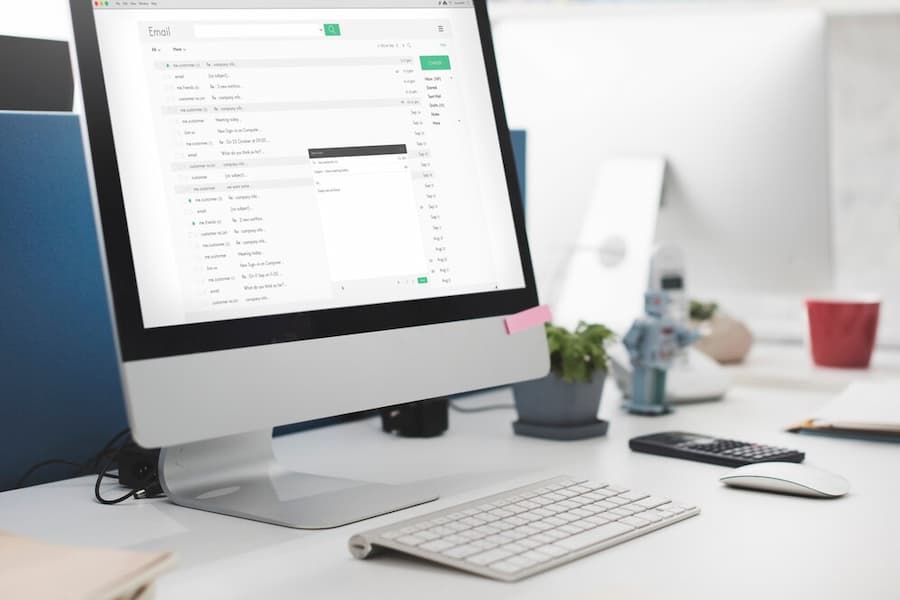
- Email-to-fax and fax-to-email, so your existing inbox becomes the control panel.
- A web portal to send, track, and store faxes in one place.
- A dedicated online fax number that works like a phone line without the landline.
- Mobile apps for sending and forwarding faxes on the go.
- Cloud storage, so faxes stay searchable instead of buried in a paper tray.
- API access, which lets developers wire faxing into billing, EHR, or document systems.
API integration matters more than it sounds. A clinic can auto-fax discharge summaries straight from its records platform, with no staff member retyping anything. And fewer manual steps means fewer errors, which is the whole point of business process automation.
Dollars And Cents
What Does Webfax Cost Versus A Fax Machine?
Cost is where online fax makes its loudest case. A traditional setup hides expenses in hardware, supplies, and that second phone line. Online fax rolls almost everything into one monthly fee.
| Expense | Traditional Fax Machine | Webfax / Online Fax |
|---|---|---|
| Hardware | $100 to $1,000 upfront | None (uses devices you own) |
| Dedicated phone line | $20 to $60 per month | Included in plan |
| Paper and toner | $35 to $160 ongoing | None |
| Maintenance | $50 to $1,000 per year | Handled by provider |
| Typical all-in cost | $500 to $2,500 per year | $8 to $40 per user monthly |
Pricing varies, so treat these ranges as ballpark figures rather than a quote. Still, the pattern holds across providers.
typical yearly savings a small business sees after switching to online fax (industry estimate; verify for your own usage)
Heavy fax users save the most, since a paper machine forces extra phone lines to avoid congestion. A cloud service simply scales without new hardware. So the math usually favors going digital, especially for offices sending more than a handful of pages a week.
There is a soft cost too, and it rarely shows up on an invoice. Think about the staff time spent walking to a machine, refeeding jammed pages, and reprinting failed sends. Those minutes add up across a busy week. Online fax trims that hidden labor, which is part of why the savings often feel larger than the raw dollar figures suggest.
Security
Is Online Fax Secure Enough For Sensitive Records?
Security is the reason fax never left healthcare, legal, and finance. A fax travels point to point, which has long felt safer than a forwarded email. Online fax keeps that reputation and adds encryption on top.
Good providers protect documents with TLS encryption in transit and secure storage at rest. For medical records, look for a service willing to sign a business associate agreement and support HIPAA-aligned handling. The U.S. Department of Health and Human Services explains covered-entity duties on its HIPAA guidance pages, and the NIST Cybersecurity Framework offers a broader playbook for protecting data.
One honest caveat: no tool is automatically compliant. A service can be HIPAA-capable, yet your office still owns the workflow around it, such as who can read incoming faxes and how errors get handled. Smart Technologies pairs online fax with broader managed IT and security support so the whole chain stays protected, not just the transmission.
There is a comparison worth making here. A traditional fax sitting in a shared hallway prints pages anyone walking by can read. An online fax lands in a specific, access-controlled inbox instead. So in many offices, the digital version is actually the more private choice, not the riskier one. The catch is discipline: strong passwords, limited access, and clear rules about who handles sensitive documents.
Where It Fits
Which Industries Lean On Webfax?
Some fields fax every single day. Others barely touch it. The difference usually comes down to regulation and the need for a paper trail.
- Healthcare: referrals, prescriptions, and patient records, often under HIPAA rules.
- Legal: contracts, signed filings, and time-stamped documents.
- Finance: loan paperwork, statements, and confidential agreements.
- Automotive and retail: purchase orders, invoices, and inventory documents.
- Government and education: forms and compliance records demanding a clear record of delivery.
For these offices, fax is not nostalgia. It is the format a regulator, partner, or court still expects. Online fax simply lets them meet the expectation without babysitting a machine. Pairing it with solid document management keeps every sent and received fax easy to find later.
Central Florida has a heavy mix of exactly these industries. Daytona Beach and the Orlando corridor are full of medical practices, law firms, dealerships, and financial offices, all of which fax daily. So online fax is not a niche request around here. It is a steady, practical need Smart Technologies meets for local businesses week after week.
Choosing A Service
How To Pick The Right Online Fax Provider
The market is crowded, and the plans look similar at a glance. A few questions cut through the noise fast. Ask each of these before you sign anything.
- Security: Does the provider encrypt faxes in transit and at rest? Will it sign a business associate agreement if you handle health records?
- Volume and pricing: How many pages does the plan include, and what is the per-page rate beyond that? Light users and heavy senders need very different tiers.
- Number porting: Can you bring your existing fax number, or are you forced onto a new one?
- Integrations: Does it connect to your email, EHR, or document system through an API?
- Support: Who answers when a fax fails at 4 p.m. on a deadline? Local, responsive support matters more than a long feature list.
One more tip: read the contract for cancellation terms and overage fees. Some plans look cheap until a busy month triggers per-page charges. Smart Technologies reviews these details with clients so the plan still makes sense a year in, not just on day one.
Watch Outs
Common Online Fax Mistakes To Avoid
Switching to online fax is usually smooth. A few avoidable missteps trip up offices, though. Here is what to keep an eye on.
- Treating any service as automatically HIPAA compliant. The tool is only one part; your internal handling matters just as much.
- Skipping number porting and confusing long-time contacts with a brand new fax number.
- Underbuying on volume, then getting surprised by per-page fees during a heavy stretch.
- Ignoring storage and retention rules, which can leave sensitive faxes lingering where they should not.
- Leaving the old fax line active and paying for it long after the switch.
None of these are dealbreakers. They are simply the spots where a little planning saves money and headaches. So a short setup conversation up front pays off for months.
How Smart Technologies Helps
Your Daytona Beach Partner For Online Fax
Smart Technologies of Florida has served Central Florida businesses since 1999. We set up online fax as one part of a connected office, alongside managed IT, VoIP, and print. Here is how we help.
Serving Daytona Beach, Orlando, and the wider Central Florida region, our team treats fax as a small but real piece of how your office runs. Curious where a multifunction printer still fits alongside online fax? We map that too.
Local presence is the difference here. When a medical office near Daytona Beach needs a fax issue solved before patients arrive, a call across the country rarely cuts it. Our team knows the area, the common software setups, and the compliance pressures Florida businesses face. So support feels like a neighbor, not a ticket number in a distant queue.
We also see online fax in context. It rarely lives alone. For most clients, it sits beside VoIP phones, managed IT, document management, and print, all working as one connected system. Looking at the whole picture, instead of each tool in isolation, is how we keep an office running smoothly and spending wisely.
Common Questions
Webfax FAQ
What is the difference between traditional fax and Webfax?
Traditional fax uses a physical machine and a phone line. Webfax uses the internet, so you send from a computer or phone with no hardware. The result is more flexibility, encryption, and lower cost.
Do I need a fax machine to use Webfax?
No. A computer, tablet, or smartphone with internet is all you need. The service handles the conversion and transmission for you.
Can I keep my existing fax number?
Usually, yes. Most providers let you port an existing fax number into the online service, so partners and patients reach you the same way they always have.
Is Webfax HIPAA compliant?
It can be, with the right provider. Look for TLS encryption, secure storage, and a signed business associate agreement. Compliance also depends on how your staff handles incoming faxes, not just the technology.
How much does an online fax service cost?
Plans commonly run from about $8 to $40 per user each month, depending on volume and features. Heavy senders pay more, light users pay less. Verify current pricing with the provider you choose.
Is online faxing actually secure?
Reputable services encrypt faxes in transit and at rest. So online fax often matches or beats the security of a shared office machine leaving pages sitting in a tray.
Can Webfax integrate with my business software?
Yes. Many providers offer APIs and email-to-fax tools, which let you connect faxing to EHR, billing, or document management systems and automate routine sending.
What file formats can I send and receive?
Common formats include PDF, TIFF, JPG, and GIF. You upload a document, and the recipient gets a clean, readable copy in a standard format.
Will online fax work for high-volume offices?
It scales well. A cloud service adds capacity without new phone lines or hardware, which is exactly where paper machines struggle and rack up extra costs.
Why do businesses still fax in 2026?
Regulation, compatibility, and trust. Many partners and regulators still require fax, and electronic systems often cannot share records directly. So fax stays the reliable middle ground. Healthcare offices feel this most, where a large share of referrals and record requests still move by fax.
How long does it take to set up online fax?
For a basic plan, you can often send your first fax the same day. Porting an existing number takes longer, sometimes a week or two, because it involves your current carrier. A provider or IT partner can manage the porting so your line never goes dark.
Does online fax work without a phone line?
Yes. The whole point is that faxes travel over the internet, not a copper phone line. So as long as you have a stable connection, you can send and receive without any landline at all.
Can Smart Technologies set up online fax for my Florida business?
Yes. Our Daytona Beach team handles setup, security, integration, and support for businesses across Central Florida. Call us and we will map the right plan for your office.
The Bottom Line
Is Webfax Right For Your Office?
If your business sends or receives faxes at all, online fax deserves a look. It strips out the hardware, the supplies, and the extra phone line, while keeping the security and the paper trail regulated work demands. So you get the part of faxing people actually rely on, minus the parts they grumble about.
The honest answer depends on your volume and your rules. A high-volume medical office gains the most, both in dollars and in saved staff time. A business sending one fax a month gains less, though the convenience still helps. Either way, a quick review of current costs usually makes the choice clear. And a review like this is exactly where a local partner earns its keep.
Ready To Cut The Cord On Your Fax Machine?
Smart Technologies helps Central Florida businesses move to secure, low-cost online fax, backed by local support.
Business Transformation Agency
Call (386) 252-2292
Related Posts
— The Real Cost of Print: What Your Office Documents Actually Cost (Updated 2026)
— Privacy & Managed Print: 5 Reasons to Implement a Managed Print Solution in Your Office (2026 Guide)