

Lakeland Commercial Copiers & Printers

February 24, 2026
 463 views
 0 comments
Reliable commercial copiers and business printers are essential for Lakeland organizations that need steady uptime, secure document workflows, and predictable operating costs. This guide shows how the right copier and printer solutions reduce downtime, lower total cost of ownership, and help meet compliance and document-security needs across Lakeland. You’ll find clear comparisons of leasing versus buying, the key multifunction-printer features to prioritize, how managed print services (MPS) produce measurable savings, and where to get fast local repair and support. Practical topics like copiers Lakeland, lakeland business printers, managed print services Lakeland, and commercial copier leasing lakeland are woven into actionable recommendations Lakeland decision-makers can use right away.
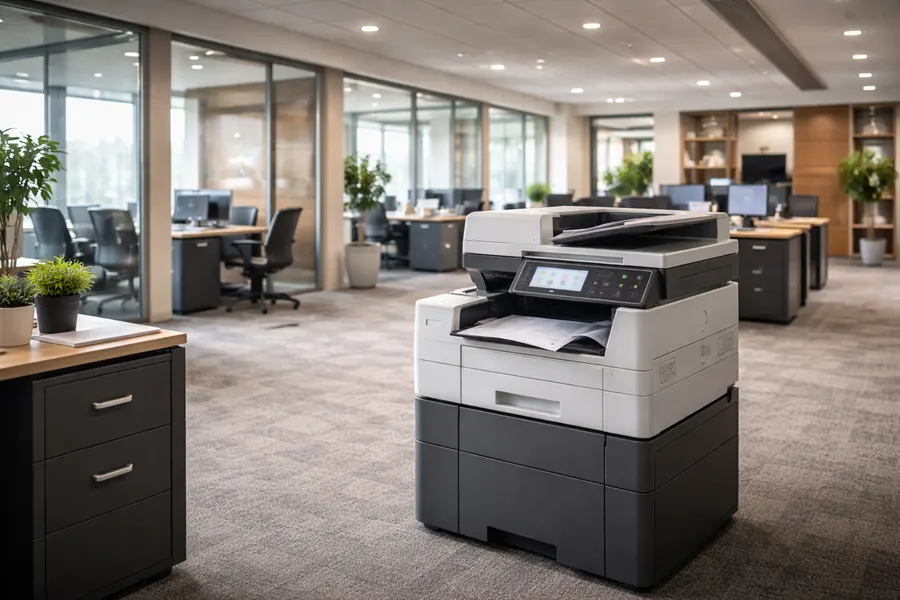
If you’re ready for pricing or bundled service proposals, request a custom quote for IT services, cybersecurity, and office equipment — we can tailor a business proposal to your needs. The sections below start with selection and maintenance guidance for copiers and printers in Lakeland, then explain how a local partner can deliver scoped quotes and service plans. When you want a direct estimate, use the short company summary above to request an on-site evaluation after reviewing the technical and procurement guidance below.
Why Choose Smart Technologies for Lakeland Commercial Copiers and Printers?
Picking the right provider means balancing device performance, service quality, and clear contract terms so your team stays productive and costs stay predictable. Smart Technologies pairs modern device technology with managed IT expertise, strong vendor relationships, and service plans designed for local businesses. Request a custom quote for IT services, cybersecurity, and office equipment to see how we package proposals and start vendor engagement.
Transparency and inclusive service are core to our value. Our typical all-inclusive agreements cover parts, labor, service, travel, and common supplies — leaving only paper and staples to you — so monthly expenses stay predictable and surprise repair bills are minimized. That steadier cost structure reduces administrative overhead and makes forecasting simpler. The following subsection lays out the practical benefits Lakeland businesses see when they partner with an integrated office-equipment provider.
What unique benefits do Lakeland businesses gain from our office equipment solutions?
Modern commercial copiers and printers deliver measurable efficiency, predictable costs, and stronger document security. Consolidating a fleet lowers per‑page costs and simplifies supply logistics while proactive maintenance and remote monitoring improve uptime. Centralized device management also enables secure workflows — like user authentication and secure-release printing — that reduce the chance of sensitive documents left uncollected. Those improvements save time, protect data during audits, and open the door for integrations with document management and workflow automation systems.
How does our 25 years of experience improve copier and printer services in Lakeland?
Experience matters: long-running vendors refine troubleshooting, spare-parts stocking, and escalation paths to fix issues faster and more reliably. Smart Technologies uses its manufacturer partnerships and field experience to streamline triage, prioritize preventive maintenance, and secure favorable service terms. Those relationships mean parts move faster and technical escalations resolve more smoothly, reducing downtime for Lakeland operations and letting internal teams focus on core work instead of device firefighting.
What are the best commercial copier leasing options in Lakeland?
Leasing gives Lakeland offices flexibility to match device capability to changing workloads while preserving capital. Short-term leases, long-term leases, and lease-to-own plans each have distinct cost profiles, service inclusions, and ideal uses. The short list below highlights the most common lease types and a one-line benefit to help you identify which approach fits your situation.
- Short-term lease: Month-to-month or annual terms that fit seasonal needs or temporary locations.
- Long-term lease: Multi-year agreements that lower monthly payments and typically include full service coverage.
- Lease-to-own: Payments build toward ownership, combining predictable costs with eventual asset acquisition.
Each option trades monthly cost against long-term value. When comparing offers, examine what’s covered — response times, parts, supplies, travel — and whether meter charges or overage fees apply. For many Lakeland businesses, the best lease balances flexibility with an inclusive service package so interruptions are minimized and budgeting stays simple.
Intro to lease comparison table: The table below lays out lease types by typical monthly cost range, usual service inclusions, contract length, and the business size they most often suit to help Lakeland decision-makers choose quickly.
This comparison clarifies how lease structure affects cash flow and support expectations. When negotiating, focus on meter inclusions, end-of-lease options, and upgrade paths to make sure the agreement matches evolving print needs.
Which flexible lease terms suit Lakeland businesses best?
Match expected print volume and growth to contract length and inclusions. Small offices with stable, low-volume printing often benefit from long-term leases that lower monthly costs and include service. Fast-growing operations may prefer short-term leases to avoid lock-in as needs change. Seasonal businesses and event-driven offices typically use short-term leases or rentals to scale without capital expense. Verify whether meter counts, supply replenishment, and preventive maintenance are included — those details materially affect total cost of ownership and internal administrative work.
What top copier brands are available for lease in Lakeland?
Major brands are available through local leasing channels, each optimized for different workloads. Enterprise MFPs handle high volumes and advanced finishing; compact models work well for small offices needing reliable monochrome printing and scanning; color and inkjet business printers serve marketing and design teams that need superior color. Brand choice should consider compatibility with fleet-management tools and managed print services for centralized monitoring and secure printing.
Matching device class to use case reduces waste and improves workflow efficiency — a topic we explore further in the managed print services section.
How can Lakeland businesses benefit from Managed Print Services?
Managed Print Services (MPS) centralize oversight of print fleets to cut costs, lock down document workflows, and boost uptime through proactive monitoring. MPS collects usage data remotely, automates supply replenishment, and coordinates service interventions before failures escalate — lowering total cost of ownership and keeping devices available. The numbered benefits below summarize what Lakeland organizations commonly gain from MPS.
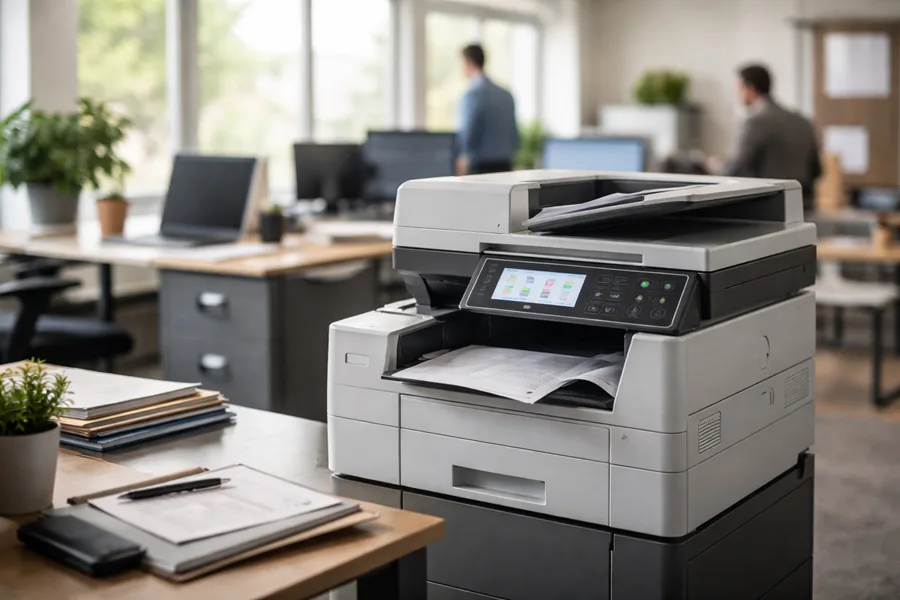
- Cost reduction: Metering and optimization lower per-page expenses and eliminate redundant devices.
- Security: Secure release, authentication, and policy enforcement protect printed data.
- Analytics and sustainability: Usage reporting enables fleet consolidation and a smaller environmental footprint.
- Uptime and support: Centralized service handling streamlines repairs and preventive maintenance.
These advantages translate into measurable operational improvements. Below we map core MPS features to cost and compliance outcomes so you can see the likely ROI for Lakeland businesses.
Intro to MPS features table: The table below links key MPS capabilities to business-level outcomes like cost savings, uptime, and compliance to make ROI discussions more concrete.
Use this mapping to prioritize MPS features that align with your most pressing goals — whether cost containment, compliance, or uptime. Implementation planning typically starts with a pilot fleet, clear success metrics, and integration with existing IT policies.
What cost savings and security advantages does managed print offer in Lakeland?
MPS lowers direct printing costs by right-sizing fleets and eliminating waste through supply automation and meter-based billing. Scheduled supplies and telemetry-driven part replacements reduce disruptions and emergency-service spend. Security features like secure-print release, user authentication, and audit trails support privacy and compliance, reducing the risk of printed data exposure and improving accountability for document handling.
How is AI transforming managed print services for Lakeland offices?
AI enhances MPS by predicting component failures from usage patterns, recommending optimal fleet configurations, and automating supply forecasts. Predictive maintenance reduces unplanned downtime; AI analytics reveal cost-saving opportunities and spot anomalous usage that could indicate security issues. Intelligent document processing also speeds workflows by extracting and routing data from scans into business systems, cutting manual entry and errors. Together, these advances increase uptime and lower operating costs for Lakeland organizations that adopt modern MPS platforms.
Which business printers are ideal for Lakeland offices?
Choose a printer based on office size, document types, and workflow needs. Categories include multifunction copiers, single-function laser printers, and business-grade inkjet/color printers. MFPs combine printing, scanning, and finishing for medium and large offices; compact lasers suit small teams that need reliable monochrome output; and business inkjets provide high-quality color for marketing and design. The table below compares representative categories on speed, duty cycle, color capability, and recommended business size.
This simple classification helps Lakeland buyers align device class with expected workflows and peak volumes so procurement focuses on reliability and integration over time. The next sections dive into MFP features and brand fit to guide specific model decisions.
What are the features of Lakeland multifunction printers?
Multifunction printers (MFPs) combine scanning, duplex printing, finishing options, and networked workflows to centralize document tasks. Look for scan-to-email or cloud routing, automatic document feeders for batch scans, integrated stapling or booklet finishing, and advanced security controls for user authentication and data encryption. These capabilities accelerate administrative work, reduce the need for separate devices, and give IT teams centralized management. Prioritize the right mix of speed, duty cycle, and finishing to match core office processes.
How do Ricoh, Brother, and Epson printers meet Lakeland business needs?
Manufacturers emphasize different strengths: enterprise brands deliver high duty cycles and advanced finishing for busy print centers; compact vendors offer low-footprint, cost-effective solutions for small offices; and inkjet specialists produce superior color for marketing materials. Ricoh-class devices are strong in large MFP deployments and service integrations, Brother models are practical for small to mid-size teams with modest costs, and Epson’s business inkjets deliver color fidelity and fast first-page output for creative groups. Aligning brand strengths to real use cases reduces total cost of ownership and improves user satisfaction.
Where can Lakeland businesses find reliable copier and printer repair services?
Local repair is crucial to keeping Lakeland offices productive. When evaluating providers, look for clear service-level agreements (SLAs), parts availability, remote-diagnostics capabilities, and transparent terms for travel and labor. The checklist below helps procurement teams compare local vendors and prioritize the service attributes that matter most.
- Response and coverage: Does the provider cover Lakeland directly and offer on‑site service?
- Parts and inventory: Is there access to genuine parts and a local stocked inventory?
- Service inclusions: Are travel, labor, and parts covered under the contract?
- Remote diagnostics: Can issues be triaged and often fixed without a technician visit?
Use this checklist to guide vendor conversations and negotiate realistic repair expectations. The next paragraph explains how to read service contract language and what to confirm before signing.
A key element is whether contracts provide all-inclusive coverage for parts, labor, service, travel, and supplies — terms that substantially lower unexpected costs. Confirming these inclusions makes budgeting predictable and reduces the administrative burden of approving service calls. The following subsection outlines typical maintenance and troubleshooting services available locally and how remote monitoring reshapes support dynamics.
What maintenance and troubleshooting services are offered locally in Lakeland?
Local providers usually offer preventive maintenance visits, on-site repairs for hardware faults, remote diagnostics for error codes, and parts replacement under contract. Preventive maintenance includes cleaning, firmware updates, and component inspections that extend device life and improve reliability. Remote diagnostics let technicians triage problems quickly and often resolve software or configuration issues without travel, saving technician time for hardware repairs. Establish clear ticketing and escalation workflows with your provider to shorten resolution cycles and keep devices running.
How does Smart Technologies ensure quick and effective repair support in Lakeland?
Smart Technologies combines proactive monitoring, strong vendor relationships, and all-inclusive service models to simplify repair and support for Lakeland customers. Request a custom quote for IT services, cybersecurity, and office equipment to see our bundled options. Using telemetry and preventive-maintenance plans, we reduce unexpected failures and coordinate parts replacement through established channels, improving repair outcomes. Integrating print support with managed IT services also ensures print incidents are handled within broader IT workflows, simplifying vendor management and speeding recovery.
How does Smart Technologies support Lakeland office equipment solutions beyond copiers and printers?
Beyond hardware, we connect document workflows, automation, and cybersecurity to deliver end-to-end operational improvements for Lakeland organizations. Request a custom quote for IT services, cybersecurity, and office equipment if you want bundled procurement and defenses. These integrated offerings make it easy to buy equipment alongside managed IT and cyber protections.
Integrated support covers document capture and indexing, automated routing to business systems, and policies that enforce secure printing and access controls. Combining MPS with managed IT and cybersecurity provides single‑provider benefits: unified billing, centralized policy enforcement, and coordinated incident response. Those integrations simplify vendor management, strengthen compliance, and reduce support tickets by resolving print and IT incidents through one operational framework.
What workflow automation and document management services are available in Lakeland?
Workflow automation handles tasks like invoice capture, employee onboarding, and contract routing by pairing capture, optical character recognition, and business rules to route documents to the right systems. Document management adds searchable indexing, version control, and audit trails to speed retrieval and improve compliance. Implementing these services reduces manual data entry, accelerates approvals, and minimizes misplaced paperwork — delivering measurable time savings and better accuracy for routine administrative processes.
How do integrated IT and print solutions enhance Lakeland business operations?
Integrated IT and print solutions offer a single point of contact for support, consolidated billing for easier budgeting, and coordinated security policies across endpoints and printing devices. Enforcing print policies through centralized IT controls reduces attack surface and ensures consistent access controls. The single‑provider approach also streamlines procurement, simplifies upgrades, and shortens resolution times for cross-domain issues — creating a more cohesive, resilient environment for Lakeland businesses.
If you’re ready to move from planning to procurement, request a custom equipment assessment or bundled IT and print proposal — we’ll scope a tailored plan that aligns with your operational priorities.
Frequently Asked Questions
What factors should Lakeland businesses consider when choosing a commercial copier or printer?
Choose a device that matches your team’s volume and document needs. Key factors include print speed, monthly duty cycle, and color capability. Also evaluate total cost of ownership — maintenance, supplies, and local service availability — plus compatibility with your IT systems and required security features to protect sensitive documents.
How can businesses in Lakeland ensure they are getting the best leasing terms for copiers and printers?
Compare multiple offers and read contracts carefully. Look at total lease cost, what services are included, and any hidden fees. Negotiate meter inclusions, guaranteed response times, and end‑of‑lease options. Working with a vendor who knows the Lakeland market can help you tailor terms to your business needs.
What are the advantages of using Managed Print Services (MPS) for Lakeland organizations?
MPS reduces costs through fleet optimization and centralized management, improves security with authentication and secure-print release, and provides proactive maintenance to reduce downtime. Analytics from MPS also make it easier to make informed decisions about device placement and usage, improving efficiency and sustainability.
How does the integration of IT and print solutions benefit Lakeland businesses?
Integrating IT and print creates a single support contact, simpler vendor management, and coordinated security policies that protect both endpoints and printers. That consolidated approach improves budgeting, strengthens compliance, and speeds incident resolution across systems and devices.
What should Lakeland businesses look for in a local copier and printer repair service?
Prioritize providers with clear SLAs, fast response times, access to genuine parts, and remote‑diagnostics capabilities. Verify whether labor, travel, and parts are included in service contracts and check the provider’s reputation for customer service and technical expertise to ensure minimal downtime.
How can businesses assess the environmental impact of their printing practices?
Track paper usage, energy consumption, and waste. An MPS can report on those metrics and suggest consolidation and settings to reduce waste. Simple steps like default double‑sided printing, recycled paper, and regular audits of printing habits help lower environmental impact and support sustainability goals.
What role does cybersecurity play in managing print services for Lakeland businesses?
Printers and copiers are part of the attack surface and must be protected. Secure-print release, user authentication, and data encryption reduce risk. Keep device firmware and software updated and integrate print management with broader IT security policies for a comprehensive defense of both digital and printed data.
Related Posts

— How Printer Leasing Can Save Your Business Money

— The Advantages of Copier Leasing for Small Businesses in Daytona Beach





