How Printer Leasing Can Save Your Business Money

October 16, 2026
 1520 views
 0 comments
Office Technology
Is printer leasing really cheaper than buying? Sometimes. Printer leasing replaces a large purchase with a fixed monthly payment, and most agreements fold in service and supplies. For many Central Florida offices, that trade is worth making. For others, it is not. This post lays out both sides so you can decide with real numbers.
Quick Answer
Printer leasing swaps a big upfront purchase for a predictable monthly payment, usually over 36 to 63 months. It tends to save money when your fleet needs regular service, your print volume is steady, and cash flow matters. Buying often wins if you keep a reliable machine for many years and have the cash on hand.
We work with offices from Daytona Beach to Orlando, and the same questions come up again and again. What does a lease actually cost? What is hiding in the contract? Who fixes the machine when it jams during month-end close? The sections below answer each one.
The Basics
What Printer Leasing Actually Means
Printer leasing means you pay a monthly fee to use a printer, copier, or multifunction device for a set term. The provider owns the hardware. You get the output.
Terms typically run 36 to 63 months, and 60 months shows up most often. The agreement spells out the monthly payment, what service is included, and what happens when the term ends.

Buying works differently. You pay the full price on day one, then cover every repair, part, and toner cartridge yourself. Leasing spreads the cost across the term and usually pairs it with a service plan. So the real comparison is not price versus price. It is one predictable bill versus a pile of smaller, less predictable ones.
Price ranges are industry estimates from published 2026 copier pricing guides. Your quote will vary by brand, speed, and contract.
Money Matters
Financial Benefits of Printer Leasing
Lower Upfront Cost
A business-class multifunction printer can run into the thousands. Leasing removes that hit. The cash stays in your account for payroll, inventory, or the surprise AC repair every Florida office eventually faces.
Predictable Monthly Expenses
Fixed payments make budgeting easy. You know the number before the month starts. That matters for a small firm without a dedicated finance team.
Bundled Maintenance
Many leases pair with a service agreement covering parts, labor, and toner. Service is billed per page, often around one to two cents for black and white and six to ten cents for color. Paper and staples are usually extra.
Tax Treatment
Operating lease payments are generally deductible as a business expense. Buying has its own tax upside, though. Under current law, Section 179 allows businesses to expense up to about $2.5 million of qualifying equipment in the year it is placed in service, with the figure indexed for inflation, and 100% bonus depreciation is available again. Read the IRS guidance on depreciation and Section 179, then confirm the details with your CPA. Rules differ by lease type, and we are not tax advisors.
Honest caveat: a lease is not automatically the better tax move. If you buy outright and expense the device, you may get a bigger deduction in year one. Leasing smooths the deduction out instead.
Operations
Operational Benefits: Technology, Flexibility, and Uptime
Access to Current Technology
Printers age fast. Speed, security features, and scanning tools improve every few years. A lease gives you a regular chance to refresh instead of nursing a ten-year-old machine through another summer.
Flexibility and Scalability
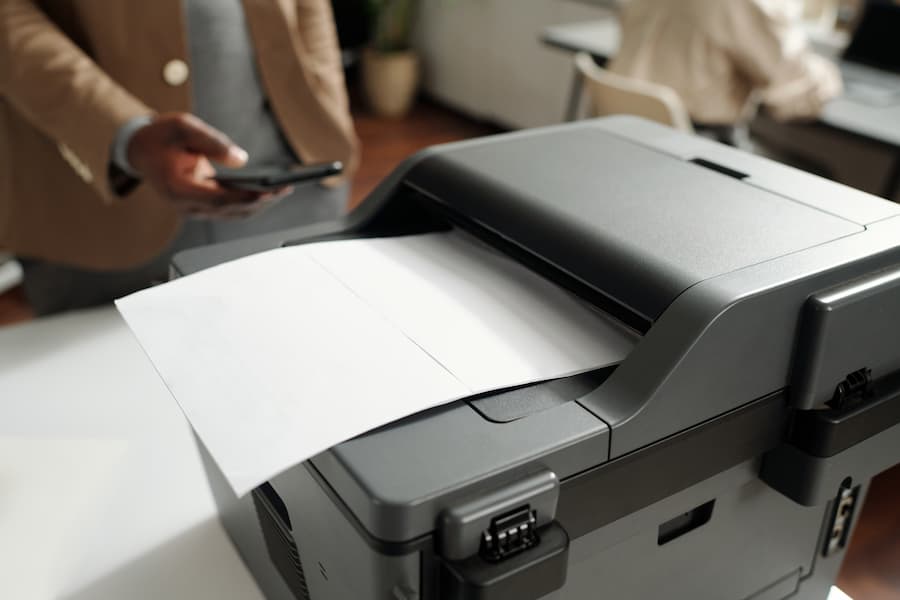
Offices change. A new hire, a second location, a remote-heavy year. Lease agreements can often be adjusted at renewal, and some providers let you add or swap devices mid-term. Ask before you sign, because flexibility varies by contract.
Better Uptime
Newer machines break less, and service agreements bring faster repairs. Modern multifunction printers combine printing, scanning, copying, and faxing in one device, which saves space and steps.
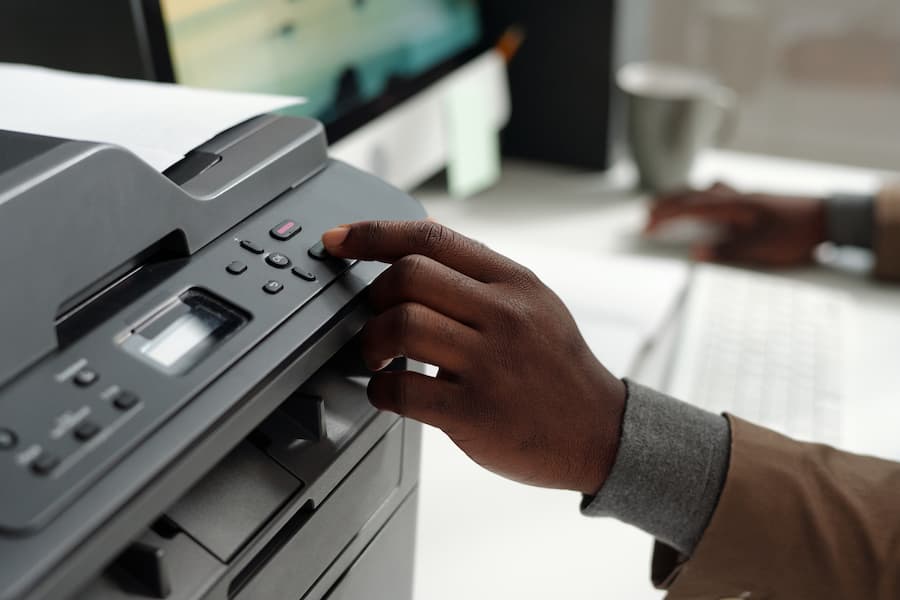
A downed printer rarely stops a company. But it does slow a front desk, delay a closing package, and frustrate everyone in line. Reliable equipment prevents a surprising amount of daily friction.
Side by Side
Printer Leasing vs. Buying: A Direct Comparison
Here is the short version. No single column wins every row.
| Factor | Leasing | Buying |
|---|---|---|
| Upfront cost | Low or none | Full price on day one |
| Monthly cost | Fixed payment, often with service | Variable repairs and supplies |
| Ownership | Provider owns it (unless $1 buyout) | You own it and any resale value |
| Upgrades | Easier at renewal | Requires new capital |
| Long-term cost | Higher if you keep renewing for years | Lower if the machine lasts |
| Exit flexibility | Early termination can be expensive | Sell or recycle any time |
| Tax approach | Deduct payments | Section 179 or depreciation |
A Quick Break-Even Test
Divide the purchase price by the monthly lease payment. The result is how many months of leasing equal the cost of buying. If the machine will likely last far beyond that number, buying deserves a hard look. If you expect to replace it sooner, or service costs are high, leasing gets stronger.
Where Leasing Loses
Be fair about this. Leases carry finance charges. You build no equity. Cancel early and you may owe most of the remaining balance. A small office with one light-duty printer and a decade-long outlook may simply be better off buying.
Lease Types
FMV, $1 Buyout, and Cost-Per-Page Agreements
Not every lease works the same way. Three structures show up most often.
- Fair market value (FMV) lease: lower payments, with the option to return, renew, or buy at market value when the term ends.
- $1 buyout lease: higher payments, and you own the device at the end for a dollar. It acts more like a financed purchase.
- Cost-per-page (managed print): hardware, service, and supplies bundled into a per-page rate. Billing follows your actual usage.
Which is best? It depends on volume and how long you keep equipment. A busy law office in Orlando printing tens of thousands of pages a month will think about this differently than a three-person insurance agency in Ormond Beach. For a deeper look at the paperwork, see our guide to copier lease agreements.
Managed print adds a second benefit: visibility. You can see who prints what, spot waste, and trim the fleet. Fewer devices often means lower spend.
Fine Print
Contract Terms to Read Before You Sign
The monthly payment is only part of the story. A low number can hide expensive clauses. Review these items line by line:
- Auto-renewal: some contracts renew for another full term unless you cancel in a narrow window.
- Price escalators: annual increases on the service portion can add up over five years.
- Overage and minimum-volume fees: printing less than the minimum can still cost you.
- Return and de-installation charges: moving a copier out is not always free.
- Early termination terms: know the exit cost before you need it.
- Data handling: confirm the drive is wiped when the device leaves your office.
Get every figure in writing. And ask the provider to walk you through the total cost over the full term, not just the monthly payment. If the answer is vague, treat that as information.
Worked Example
A Simple Cost Example for a 10-Person Office
Numbers help. Picture a ten-person office printing about 6,000 black-and-white pages and 1,000 color pages a month. Say it needs one A3 color multifunction device. The figures below are illustrative, not a quote.
| Line item | Lease (60 months) | Buy outright |
|---|---|---|
| Equipment | $175 per month | $7,500 once |
| Service and toner | About $120 per month at 1.5 cents black and 8 cents color | Paid per repair, plus supplies |
| Five-year equipment total | $10,500 | $7,500 |
| Surprise repair risk | Mostly covered | Fully yours |
On paper, buying looks cheaper by about $3,000 on the hardware line. Then add real life. One major repair, a few service calls, and a week of downtime can erase much of the gap. Cash flow matters too. The lease asks for $175 a month while the purchase asks for $7,500 today.
Does this mean leasing always wins? No. If the machine runs flawlessly for eight years, buying comes out ahead. If the office outgrows it in three, leasing wins easily. The honest answer lives in your own usage data.
Buying Wins
When Buying a Printer Makes More Sense
We lease a lot of equipment, and we still tell some customers to buy. Here is when.
- You print very little, and a basic laser printer handles the job for years.
- You want to expense the purchase in year one using Section 179 or bonus depreciation.
- You have strong cash reserves and a dependable repair vendor.
- Equipment stays in service for eight to ten years at your office, with no appetite for new features.
- Your office has no growth plans and a stable, predictable workload.
Not sure where you land? Compare three years of repair invoices, toner spend, and downtime against a lease quote. Seeing both on one page usually settles the debate.
End of Term
What to Do as Your Lease Winds Down
Lease endings sneak up on people. Start the conversation six months out. Check your agreement for the notice window, since missing it can trigger an automatic renewal.
Then decide. Renew with the same equipment? Upgrade to a newer model with better security and faster scanning? Buy the device at fair market value? Or return it and shop around? Each path has a cost.
- Request a current usage report and compare it to your original volume estimate.
- Ask for competing quotes before accepting a renewal rate.
- Confirm return logistics, shipping charges, and data-wiping procedures in writing.
- Review whether the new term should match your office lease.
One more tip. Resist the urge to renew at the old price without asking. Pricing and equipment both improve over five years, and your negotiating position is stronger than you think.
Common Mistakes
Five Mistakes Businesses Make When Leasing Printers
After years of helping offices across Volusia and Orange counties, the same errors keep surfacing.
Leasing Too Much Machine
A 60-page-per-minute device sounds impressive. But if your office prints 2,000 pages a month, you are paying for speed you will never use. Size the equipment to real volume.
Ignoring Color Costs
Color pages cost several times more than black and white. A few stray color prints per day add up over a year. Set defaults to black and white and restrict color to people who need it.
Skipping the Usage Review
Print habits shift. Remote work, digital signatures, and scanning change volume quickly. Review usage at least once a year, and renegotiate when it drops.
Forgetting the Network
A leased printer still joins your network. Poor setup creates slow scans, failed emails, and security gaps. Bring IT into the conversation before installation day.
Signing Without a Second Opinion
Sales reps want the deal closed this week. You do not have to rush. Ask for a written quote, compare it to another, and take a night to read it.
Security
Printer Security Is Part of the Lease Conversation
Printers are computers. They store scanned documents, connect to your network, and often run for years without a firmware update. That makes them an easy blind spot.
No one is claiming printers cause most breaches. But an unpatched device on the same network as your accounting system is a risk worth closing. Look for providers who handle firmware updates, require user authentication, encrypt stored data, and wipe drives at the end of the lease.
The CISA cybersecurity best practices page offers free guidance for securing connected office devices. If your IT is outsourced, pull your managed IT provider into the printer decision early. It saves headaches later.
Choosing a Partner
How to Choose a Printer Leasing Company
Evaluate the Provider, Not Just the Price
Equipment is easy to compare. Service is not. Ask how quickly technicians arrive, who answers the phone, and whether local staff handle repairs. In Central Florida, hurricane season makes this more than a theoretical question. Can your provider get a loaner device to you after a storm?
Questions to Ask
- How many local technicians support my area, and what is the typical response time?
- What is included in the service plan, and what costs extra?
- Can I add, swap, or downsize devices mid-term?
- What does it cost to leave early or return the equipment?
- Can I speak with a current customer in Volusia, Seminole, or Orange County?
Reviews matter, but references matter more. A provider confident in its service will happily connect you with a customer. You can also contact our team directly with questions at any point.
Smart Technologies
How Smart Technologies Helps
Smart Technologies of Florida has helped businesses across Daytona Beach and Central Florida since 1999. Here is what the relationship typically looks like.
Right-Sized Equipment
We match devices to your real print volume, not a sales target.
Plain-English Contracts
We explain lease terms, escalators, and exit costs before you commit.
Local Service
Technicians based in Central Florida respond when machines go down.
Managed Print
Usage reporting helps you cut waste and trim the fleet over time.
Secure Setup
Authentication, firmware care, and secure drive wiping at return.
Broader IT Support
Printers, networks, phones, and workflows handled by one team.
Explore our printers and copiers or request a copier lease quote to see real numbers for your office.
Local Notes
Leasing Considerations for Central Florida Offices
Florida offices face a few quirks. Humidity and heat are hard on paper and electronics. Seasonal swings hit tourism, hospitality, and education hard in Daytona Beach and Orlando, so print volume can vary a lot between months. A flat per-page minimum could cost you during slow stretches.
Storm preparation matters too. Ask your provider about backup devices, surge protection, and recovery after an outage. And if you operate from more than one site, ask whether a single agreement can cover them all.
- Match your lease length to your office lease. Moving in two years? A five-year printer contract may follow you.
- Check whether mid-term moves within Florida are covered.
- Plan for slow seasons by negotiating a reasonable volume minimum.
FAQ
Printer Leasing Questions, Answered
What are the benefits of leasing a printer for small businesses?
Lower upfront cost, predictable monthly billing, bundled service and toner, and a clean upgrade path. A small office in Daytona Beach or Orlando can get a business-class multifunction printer without tying up thousands in cash. The tradeoff is a fixed commitment and no ownership at the end unless you negotiate a buyout.
How long are typical printer and copier lease terms?
Most leases run 36 to 63 months, and 60 months is the most common. Shorter terms cost more per month but let you refresh equipment sooner. Longer terms lower the payment while raising the odds you keep a device past its best years.
Can I upgrade a leased printer before the term ends?
Often, yes, but it is not automatic. Many lessors will roll the remaining balance into a new agreement. Ask about this before signing, and get the upgrade rules in writing. Some contracts charge a penalty or add the old balance to the new payment.
What happens at the end of a printer lease?
You usually have three options: return the equipment, renew, or buy it. With a fair market value (FMV) lease, you pay the then-current market value to keep the device. With a $1 buyout lease, you pay a dollar and own it. The right structure depends on how long you plan to keep the machine.
Are maintenance and supplies included in a lease?
It depends on the contract. Many copier leases pair with a service agreement covering parts, labor, and toner, billed per page. Paper and staples are usually excluded. Always confirm what is bundled, because a low payment can hide separate service charges.
Is leasing a printer cheaper than buying one?
Not always. Leasing is cheaper up front and often cheaper over a short horizon, once repairs and downtime are counted. Buying can win on total cost if you keep a dependable machine for many years. Run the numbers on your own print volume before deciding.
Are printer lease payments tax deductible?
Operating lease payments are generally deductible as a business expense. Purchased equipment may qualify for Section 179 expensing or bonus depreciation instead. Tax treatment varies by lease type, so ask your CPA before choosing a structure.
What is the difference between an FMV lease and a $1 buyout lease?
An FMV lease has lower payments and lets you return, renew, or buy at market value. A $1 buyout lease has higher payments and transfers ownership at the end. The $1 version behaves more like a financed purchase.
What hidden fees should I watch for in a lease agreement?
Look for auto-renewal clauses, annual price escalators, overage rates, minimum monthly volume fees, and return or de-installation charges. Ask the provider to list every recurring charge. If a fee is not on paper, assume it can appear later.
Can I cancel a printer lease early?
Sometimes, but it is rarely cheap. Early termination often requires paying most or all of the remaining payments. Negotiate the exit terms before you sign, since your bargaining position is strongest before the ink dries.
Do leased printers create security risks?
Any networked printer can be a risk if it is unpatched or left on default passwords. A good lease includes firmware updates, secure disk wiping on return, and user authentication. CISA publishes free guidance on securing office network devices.
How does a local provider help with printer leasing in Florida?
Our team has served Central Florida businesses since 1999. The team sizes equipment to your print volume, explains lease structures in plain language, and supports the devices after installation. You can start with a free quote.
How do I know how many pages my office prints each month?
Check the meter reading on your current device or ask your provider for a usage report. Compare three months of data, not one. Seasonal offices in tourism and education can swing widely between peak and slow months.
Business Transformation Agency
Ready to See Real Lease Numbers?
Talk with Smart Technologies about the right equipment, a clear contract, and local service you can count on.
Call us at (386) 252-2292
771 Fentress Blvd Suite 10, Daytona Beach, FL 32114
Related Posts

— The Advantages of Copier Leasing for Small Businesses in Daytona Beach
— Lease Printer for Small Business: The Smart Choice for Budget and Efficiency