Industrial Copier: The Backbone of Large-Scale Printing (Updated 2026)

June 26, 2026
 1876 views
 0 comments
Office Technology & Print Production
Industrial Copier: The Backbone of Large-Scale Printing (Updated 2026)
A practical look at high-volume production printers, what they cost, and how a commercial copier earns its keep in a busy Central Florida office.
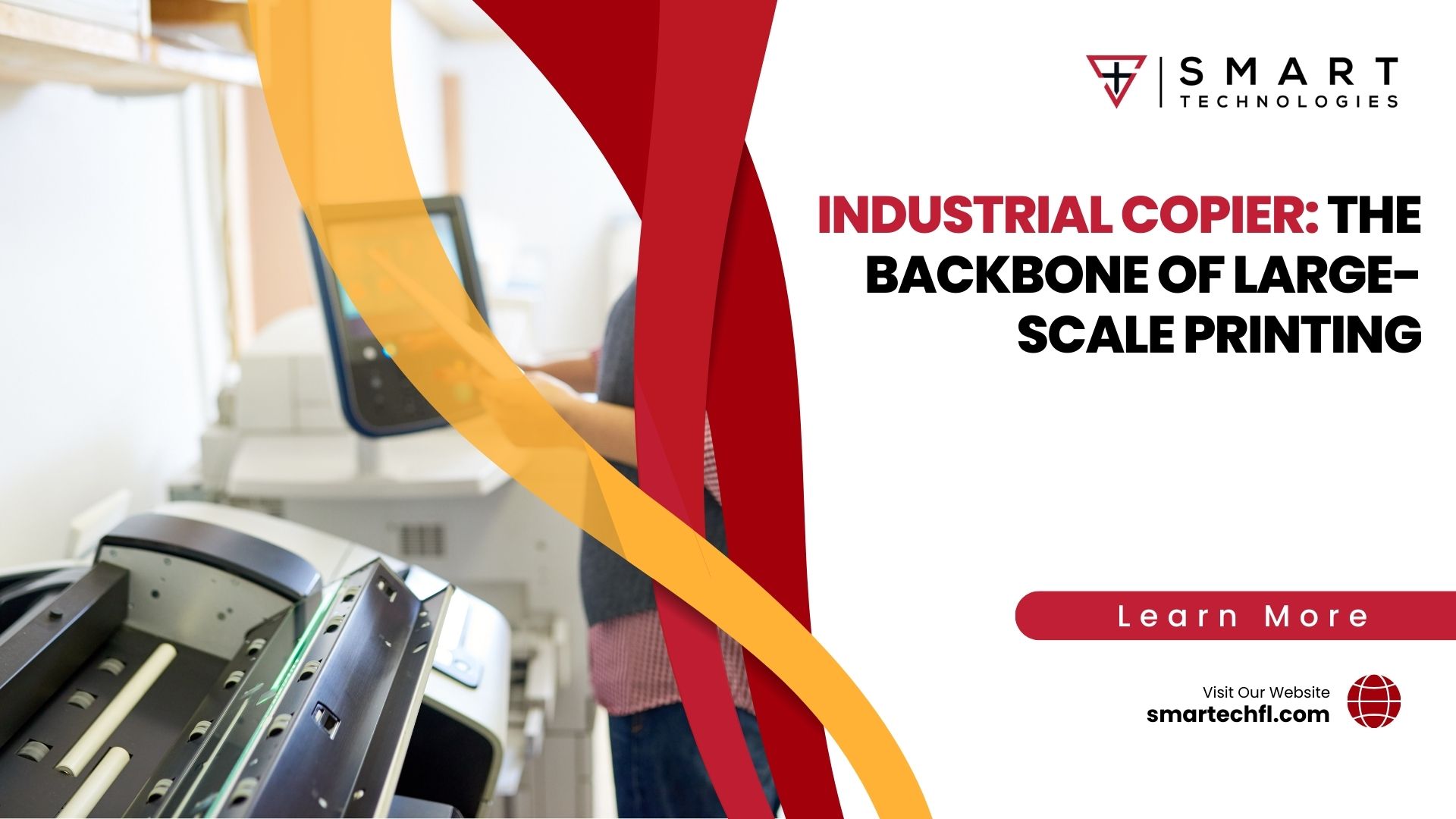
Quick answer: An industrial copier is a high-output machine built to run tens of thousands of pages a month without slowing down. It bundles printing, scanning, and finishing into one device, and it pays off when your daily volume outgrows a standard office printer. Most production-grade models sell for $30,000 to $100,000 or lease from roughly $475 to $1,100+ a month.
What makes a copier industrial?
An industrial copier is built for punishment. It runs longer, faster, and harder than the unit sitting near the break room. Speed gets measured in pages per minute (PPM), and production models routinely clear 70 to 130 PPM. So a job that ties up a desktop printer for an hour finishes in minutes.
The other difference is duty cycle. A standard office printer might handle a few thousand pages a month before it strains. An industrial copier is rated for 25,000 to well over 100,000 pages in the same window. And the internal parts, from rollers to fusers, are engineered to match that load. Reliability is the whole point, because a stalled machine in a high-demand office costs real money.
Brands like Kyocera, Konica Minolta, Canon, Ricoh, and Xerox dominate this space. Each builds machines that fold copying, printing, scanning, and faxing into a single footprint. Smart Technologies has placed these systems in law offices, schools, and clinics across the Daytona Beach and Orlando corridor for years.
One more marker separates the two classes: paper handling. A production copier holds thousands of sheets across multiple trays, so it runs long jobs without a babysitter. It also takes heavier stock, tabs, and oversized sheets a desktop unit cannot feed. So the machine keeps pace with the office, rather than the office pausing for the machine.
Why production printing still matters in 2026
Paperless predictions keep arriving. The machines keep selling. We believe the production printer market sits near $6.87 billion in 2026 and is tracking toward $8.32 billion by 2031, a roughly 3.9% annual growth rate, according to Mordor Intelligence (you should verify the exact figure against the primary report). Demand has shifted toward packaging, labels, and short-run custom work, but the core need has not gone away.
Offices still print contracts, patient records, lesson plans, and marketing collateral. Volume in those categories holds steady. So the industrial copier remains a workhorse, not a relic.
Estimated global production printer market in 2026 (Mordor Intelligence; verify against primary source)
Want the bigger picture on equipment economics? Our breakdown of commercial copier machine pricing digs into the hidden line items most buyers miss.
Types of industrial copiers
Not every high-volume job needs the same machine. Picking the right category saves money and floor space. Here are the main types you will run into.
- Multifunction printers (MFPs): One device for printing, scanning, copying, and faxing. Great for offices that want to economize space and standardize on a single platform.
- High-volume monochrome systems: Built for fast black-and-white output at the lowest cost per page. Legal and administrative teams lean on these.
- Production color copiers: Tuned for image quality and heavy color runs. Marketing departments and print shops favor them.
- Light production presses: A step above an office MFP, with finishing options like booklet making, stapling, and hole punching built in.
Curious how an MFP fits your workflow? Our guide on what an MFP is and how it transforms an office walks through the trade-offs. Smart Technologies helps match the category to your real output, not a sales quota.
What does an industrial copier cost?
Price swings hard based on speed, color, and finishing. A workgroup production unit lands well below a full commercial press. Below is a realistic range for 2026, drawn from current market guides (treat these as estimates and confirm with a quote).
| Machine class | Purchase price | Typical lease / month | Best for |
|---|---|---|---|
| Mid-volume color MFP | $8,000 to $15,000 | $150 to $375 | 15 to 50 person offices |
| High-volume monochrome | $12,000 to $25,000 | $250 to $500 | Legal, admin, records |
| Production color copier | $30,000 to $60,000 | $475 to $900 | Marketing, in-house print |
| Light production press | $60,000 to $100,000+ | $900 to $1,100+ | Print shops, high color volume |
Lease or buy? Buying means a big upfront check and long-term ownership. Leasing trades that for lower monthly cost and easier upgrades, which matters because technology refresh cycles keep shrinking. Our deep dive on copier lease cost and hidden fees lays out the math, and the companion piece on printer leasing costs covers the smaller machines.
Total cost of ownership goes beyond the sticker
The purchase price is the start, not the finish. Toner, paper, service agreements, and parts add up over a five-year life. Cost-per-copy charges typically run about $0.01 to $0.015 per black page and $0.06 to $0.12 per color page in 2026 (verify current rates with your provider).
Regular servicing keeps the machine fast and stretches its life. Skip it, and you invite jams, downtime, and emergency repair bills. A model with high-efficiency ratings, ideally Energy Star certified, trims the power draw too. You can check certified equipment through the Energy Star program.
Estimated annual office printing cost per employee, covering paper, toner, and energy (industry estimate; verify for your office)
Many businesses spend 1% to 3% of revenue on printing without tracking it closely. A managed approach can recover a meaningful slice of that.
Advanced features in modern machines
Today’s production copiers do far more than copy. Security, connectivity, and automation have all jumped forward. Here is what sets the current generation apart.
- Built-in security: User authentication, secure print release, and data encryption protect sensitive files. Manufacturers like Canon and Ricoh treat this as standard now.
- Flexible connectivity: Wireless and Ethernet options drop the machine into any network. Staff print from a phone, laptop, or the cloud.
- Workflow automation: Scan-to-folder, optical character recognition, and routing rules cut the manual steps out of document handling.
- Finishing on board: Stapling, folding, and booklet creation happen inside the device, so finished work comes out ready.
Software ties it together. Cloud and mobile printing let people work from anywhere, and embedded apps connect the copier to the business systems you already run.
The hidden cost of downtime
A jammed copier is not a minor annoyance. It is a productivity tax. Research from IDC suggests employees lose up to 22 minutes a day wrestling with printer problems (an often-cited figure worth verifying against the source). Across a ten-person team over a year, that adds up to hundreds of lost hours.
Share of help-desk calls commonly linked to printing and copier issues (industry estimate; verify)
So uptime is the real value of an industrial-grade machine. Heavier components fail less. Preventive service catches small problems early. And a good support contract means a technician, not a guessing game, when something does go wrong. Our team builds support into every placement across Central Florida.
Industrial copiers across different sectors
Different industries lean on these machines in different ways. The common thread is volume and reliability.
- Legal: Fast duplication and secure distribution of case files, often under tight deadlines.
- Education: Lesson materials, exams, and handouts produced at scale before each term.
- Healthcare: Secure, rapid copying of patient records under privacy rules.
- Marketing and design: High-quality color output for brochures, proposals, and event collateral.
From a compact MFP for a small Daytona Beach practice to a high-volume system for an Orlando enterprise, the right fit depends on the work. Smart Technologies of Florida sizes the machine to the job.
Central Florida adds its own wrinkles. Summer humidity and storm-season power dips can stress sensitive electronics, so surge protection and climate-aware placement help these machines last. A local provider knows the region and plans for it, which a national vendor rarely does.
How Smart Technologies helps
Right-Sizing
We match copier speed and volume to your actual output, so you never overpay for capacity you skip.
Lease Options
Flexible terms keep upfront cost low and let you upgrade as technology moves.
Local Service
Technicians based in Central Florida respond fast, so downtime stays short.
Managed Print
We track supplies and usage to trim waste and recover hidden printing spend.
Security Setup
Authentication and secure release protect documents on every device.
Workflow Help
Scanning and routing automation move paper into your digital systems cleanly.
Choosing the right industrial copier
A good purchase starts with honest numbers. Count your real monthly volume first. Then weigh four things.
- Volume capacity: The duty cycle should comfortably exceed your busiest month.
- Speed: Match PPM to deadline pressure, not to a spec sheet bragging point.
- Functionality: Decide which features you truly use, from color to finishing to scanning.
- Connectivity: Confirm the machine slots into your network and cloud tools.
Honest caveat: a bigger machine is not always better. Overbuying wastes capital and floor space. Underbuying invites breakdowns. The sweet spot is a copier that runs your peak load with a little headroom. Need a second opinion on copier leasing? Our overview of office copier leasing services is a fair place to start.
Industrial copier vs standard office printer
People often ask why a production machine costs so much more than the printer at the front desk. The gap is real, and it shows up everywhere from speed to repair frequency. Here is a side-by-side look at the two.
| Feature | Standard office printer | Industrial copier |
|---|---|---|
| Monthly duty cycle | 1,000 to 5,000 pages | 25,000 to 100,000+ pages |
| Speed (PPM) | 20 to 40 | 70 to 130 |
| Finishing options | Rare | Stapling, folding, booklets |
| Cost per page | Higher | Lower at volume |
| Lifespan under load | 2 to 3 years | 5 to 7 years |
| Security features | Basic | Authentication, encryption |
So the math flips as volume climbs. A cheap printer looks like a bargain until it jams under load and the per-page cost balloons. An industrial copier carries a higher entry price, yet it wins on cost per page and uptime once the work piles up. The break-even point usually arrives somewhere north of 10,000 pages a month.
Color versus monochrome production copiers
One early choice shapes the whole budget. Do you need color, or will black and white carry the load? Most offices land somewhere in the middle, and the answer drives both price and running cost.
Monochrome production machines are lean and fast. They sip toner, run cheap per page, and rarely break stride on a long text job. Legal teams, billing departments, and records offices live on them. Color, by contrast, opens the door to marketing collateral, branded proposals, and client-facing documents with real polish.
- Choose monochrome if: Your output is mostly contracts, statements, internal memos, and forms.
- Color makes sense if: You print brochures, presentations, signage, or anything a customer sees.
- A hybrid fleet fits if: One department needs color while another runs pure volume.
And remember the running cost. Color pages cost several times more than black ones, so routing routine jobs to a monochrome unit keeps the bill sane. Our team often pairs a fast mono machine with a single color unit, which trims spend without limiting capability.
Managed print and a greener office
Print waste is money on the floor. Uncounted color jobs, abandoned print queues, and aging machines all leak cash and energy. A managed print program puts a meter on the whole operation and tightens the leaks.
Commonly cited reduction in total print costs from managed print services (industry estimate; verify for your office)
The savings come from a few simple moves. Default duplex printing cuts paper in half. Secure release stops forgotten jobs from piling up at the tray. Energy Star certified hardware lowers the power draw, and supply tracking ends the panic toner orders. Our team also explores managed IT alongside print, since the two overlap more every year. You can review the framework on our managed IT solutions page.
Greener and cheaper tend to travel together here. Less waste means lower cost and a smaller footprint, and a well-run fleet delivers both at once.
Installing and supporting your machine
Buying the copier is step one. Getting it running cleanly is step two, and it matters just as much. A production machine has to slot into your network, your security rules, and your daily habits without friction.
Good installation covers driver setup, secure user accounts, scan-to-email or scan-to-folder routing, and a short training session for staff. Skip those, and a powerful machine sits half-used. So a strong local partner earns its keep here. Our local crew handles delivery, configuration, and the follow-up service across Daytona Beach, Orlando, and the wider Central Florida market.
Support is the long game. Toner ships before you run dry. Preventive visits catch worn parts early. And when a fault does appear, a local technician beats a call-center queue every time. Reliability is not luck; it is a service plan working quietly in the background.
Signs you have outgrown your current printer
How do you know the moment has come? Most offices feel it before they name it. The printer becomes a bottleneck, and the symptoms stack up fast.
- Queues at the tray: Staff wait in line for big jobs, and deadlines slip.
- Frequent jams: The machine chokes under any real volume.
- Rising supply spend: Cartridges drain faster than the budget expects.
- Service calls climbing: Repairs arrive monthly instead of yearly.
- No finishing: You hand-staple and hand-fold work the device should handle.
Two or three of these, and the cheap printer is quietly costing more than a production machine would. So the upgrade pays for itself in recovered time and lower per-page cost. A quick volume audit settles the question, and our team runs one at no charge for Central Florida businesses.
The major industrial copier brands
Five names lead the production market, and each brings a slightly different strength. None is universally best. The right pick depends on your volume, color needs, and the local service behind the machine.
- Canon: The imageRUNNER ADVANCE line is known for automation and strong document workflows.
- Ricoh: A reliable all-rounder with solid security and broad model range.
- Konica Minolta: Favored for color quality in light production work.
- Kyocera: Long-life components and a reputation for low cost per page.
- Xerox: Deep production heritage and high-end finishing options.
Specs only tell half the story. Two identical machines perform very differently with and without good local support. So we steer the brand conversation toward your real workload and the service plan, not just a feature checklist. Smart Technologies of Florida services all five lines across the region.
Frequently asked questions
What is an industrial copier?
An industrial copier is a high-output machine designed to print and copy tens of thousands of pages a month. It combines printing, scanning, copying, and often finishing in one durable device built for heavy daily use.
How much does an industrial copier cost in 2026?
Most production-grade machines sell for $30,000 to $100,000 or more, depending on speed, color, and finishing. Leasing runs roughly $475 to $1,100+ per month. Mid-volume color MFPs cost less, often $8,000 to $15,000 to buy.
What is the difference between a commercial copier and an industrial copier?
The terms overlap. A commercial copier handles steady office volume with printing, scanning, and faxing. An industrial copier pushes higher, built for very high volume and continuous duty in print shops or large departments.
Should I lease or buy an industrial copier?
Leasing lowers upfront cost and makes upgrades easy, which suits offices that want current technology. Buying costs more now but builds an owned asset. Run the long-term numbers, including service, before you decide.
How many pages per minute does an industrial copier print?
Production models commonly run 70 to 130 pages per minute. Lighter commercial units land in the 30 to 60 PPM range. Your deadline pressure should guide the speed you choose.
How do I maintain my industrial copier?
Use the toner and cartridges specified by the manufacturer. Keep the unit clean inside and out to prevent jams. Schedule regular preventive service, and a managed contract handles most of this for you.
What should I do if my copier stops working?
Check the basics first: paper supply, toner levels, and any error message on the panel. If the problem holds, contact your service provider. A support contract usually means same-day or next-day help.
Can I optimize an industrial copier for a small office?
Yes. A multifunction model saves space by combining printer, scanner, and fax. Duplex printing trims paper use, and energy-saving settings cut power draw. Right-sizing keeps the cost sensible.
Are industrial copiers secure?
Modern machines include user authentication, secure print release, and data encryption. These protect sensitive files at the device, which matters in legal, medical, and financial work.
What is the total cost of ownership for an industrial copier?
Beyond the price, budget for toner, paper, service, and parts over a five-year life. Cost-per-copy charges and energy use add up, so a managed print plan often lowers the real total.
Does Smart Technologies service copiers in Central Florida?
Yes. Smart Technologies has served Florida since 1999, with local technicians covering Daytona Beach, Orlando, and the surrounding region for sales, leasing, and ongoing support.
Which brands of industrial copiers are most reliable?
Kyocera, Konica Minolta, Canon, Ricoh, and Xerox all build well-regarded production machines. The best choice depends on your volume, color needs, and the local service behind the device.
Ready to size the right copier for your office?
Smart Technologies is the Business Transformation Agency for Central Florida. Let us match a machine to your real volume and keep it running.
(386) 252-2292
Daytona Beach | Orlando | All of Central Florida
Related Posts
— Lease Printer for Small Business: The Smart Choice for Budget and Efficiency
— Office Copier Leasing Services: A Practical Guide for Florida Businesses (2026 Guide)